
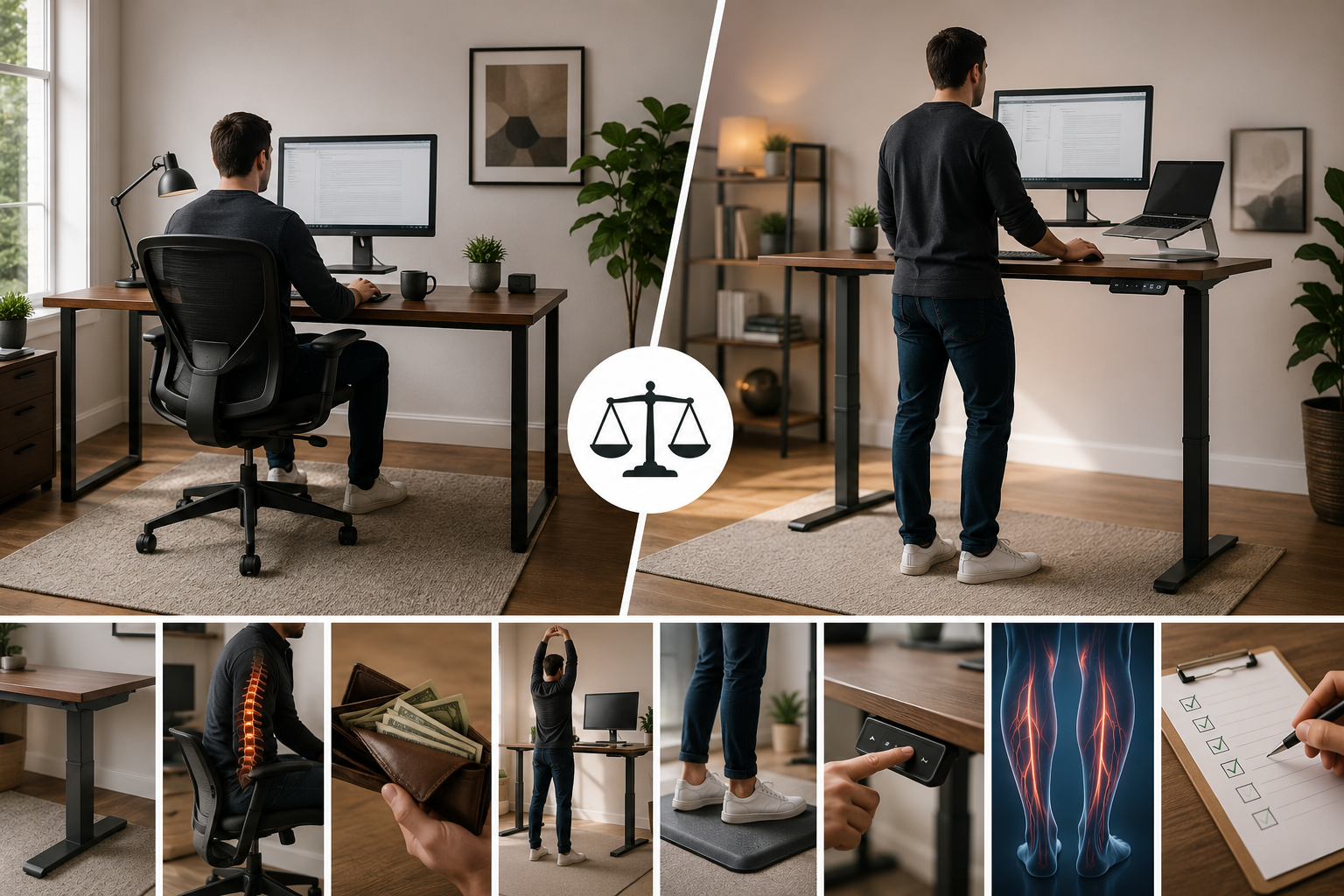
If you’ve spent any time researching home office setups, you’ve probably run into the same debate: should you switch to a standing desk, or stick with a traditional sitting desk? Marketing on both sides makes big promises, which makes it hard to know what’s actually true.
Neither sitting all day nor standing all day is ideal. A standing desk can help reduce the health risks linked to prolonged sitting, ease certain types of back discomfort, and encourage more movement throughout the day but it isn’t a cure-all, and standing too long brings its own problems. For most people, the healthiest approach is a height-adjustable (sit-stand) desk that lets you alternate between both positions.
This guide breaks down exactly how standing desks and traditional desks compare, what the research actually says, and how to decide which setup or combination is right for your home office.
Why This Comparison Matters More Than You’d Think
The average home office worker spends the majority of their workday seated. Research has consistently linked prolonged, uninterrupted sitting to increased risks of obesity, type 2 diabetes, cardiovascular disease, and musculoskeletal issues like lower back pain. This is part of why standing desks have grown so popular but it’s also easy to overcorrect and assume standing all day is automatically the healthier choice. It isn’t.
The real answer lies in understanding what each setup does well, where it falls short, and how to combine both intelligently.
Traditional (Sitting) Desks: What They Offer
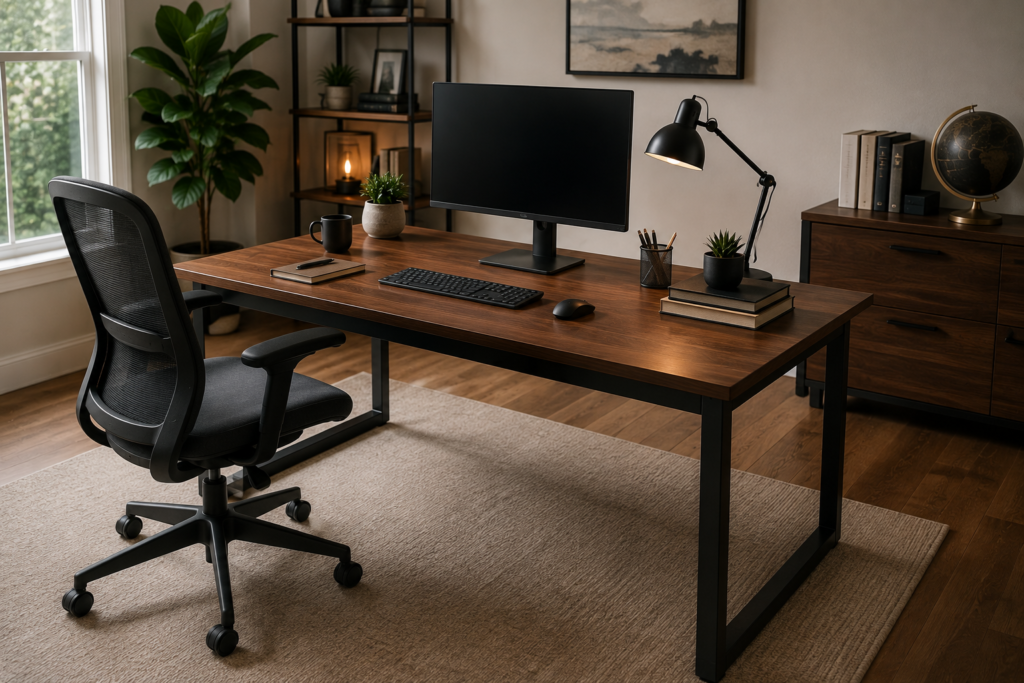
A traditional desk is a fixed-height surface, typically built around 29 to 30 inches high, designed exclusively for seated work.
Advantages of a Traditional Desk
- Maximum stability. With no moving parts, a fixed desk provides a completely solid surface ideal for precision tasks, heavy monitor setups, or detailed work.
- Lower cost. Fixed-height desks are generally less expensive than height-adjustable models.
- Simplicity. No motors, no controls, no maintenance just a stable, reliable workspace.
- Wide style and material variety. Traditional desks come in far more design options, from solid wood executive desks to compact writing desks.
Drawbacks of a Traditional Desk
- Encourages prolonged sitting. Without a built-in reason to stand, most people sit far longer than they intend to.
- No flexibility for posture changes. You’re locked into one working position for the entire day.
- Can contribute to stiffness and discomfort over long stretches, especially without deliberate breaks to stand or move.
Standing Desks: What They Offer
A standing desk, usually height-adjustable, allows you to raise the work surface to standing height, typically in a range of about 28 to 48 inches, depending on the model.
Advantages of a Standing Desk
- Reduces prolonged sitting time. Simply having the option to stand makes people more likely to break up long sitting stretches throughout the day.
- May ease certain types of back discomfort. Research has found that sit-stand desks can help alleviate lower back discomfort linked to prolonged sitting, particularly with consistent use and proper setup.
- Encourages more movement. Being able to shift positions naturally leads to more small movements shifting weight, stretching, walking briefly compared to staying seated all day.
- Modestly higher calorie expenditure. Standing burns somewhat more calories than sitting, though the difference is fairly small on its own and shouldn’t be relied on as a fitness strategy.
- Some reported boosts in energy and focus. Several studies and workplace surveys point to improved alertness and reduced afternoon fatigue with regular standing breaks, though individual results vary.
Drawbacks of a Standing Desk
- Higher upfront cost. Height-adjustable desks, especially electric models, cost more than fixed desks.
- Standing all day has its own risks. Prolonged standing can lead to leg fatigue, lower back strain, swelling, and varicose vein issues if not balanced with sitting.
- Requires proper ergonomic setup. Incorrect standing height or poor posture can cause wrist, neck, or shoulder strain the same risks as a poorly set up sitting desk.
- Adjustment takes getting used to. Most people need to ease into regular standing gradually rather than switching all at once.
Standing Desk vs Traditional Desk: Quick Comparison
| Feature | Traditional Desk | Standing Desk |
| Cost | Lower | Higher |
| Stability | Very stable | Slightly less rigid at full height on budget models |
| Flexibility | Fixed position only | Adjustable between sitting and standing |
| Movement Encouraged | Minimal | More frequent posture changes |
| Back Pain Impact | Can contribute to discomfort from prolonged sitting | May help reduce sitting-related back discomfort |
| Setup Complexity | Simple, no moving parts | Requires calibration and gradual adaptation |
| Best For | Budget setups, precision work, minimal movement needs | Reducing sedentary time, flexible work styles |
What Does the Research Actually Say?
It’s worth separating marketing claims from what studies genuinely support.
What’s well-supported:
- Height-adjustable desks measurably reduce total daily sitting time when used consistently.
- Sit-stand desks can help ease lower back discomfort associated with prolonged sitting, especially with proper ergonomic setup.
- Alternating between sitting and standing supports better circulation than staying in one position for hours.
What’s more nuanced:
- Standing alone burns only modestly more calories than sitting not enough to meaningfully replace regular physical activity or exercise.
- Long-term health outcomes (like reduced disease risk) from standing desks specifically are still being studied, and results vary between individuals and how consistently the desk is actually used.
- Productivity claims tied to standing desks are mixed and often depend heavily on the individual and type of work.
A standing desk isn’t a substitute for movement or exercise, but it is a reasonable, evidence-supported tool for reducing the specific risks tied to prolonged, uninterrupted sitting as long as it’s used as part of a balanced routine, not an all-day standing marathon.
The Real Risk Isn’t Sitting or Standing, It’s Staying Still
Here’s the piece that often gets lost in the standing-desk debate: the core problem isn’t sitting itself, and it isn’t standing itself. It’s staying in any single position for too long without movement.
Prolonged standing, just like prolonged sitting, can lead to:
- Leg and foot fatigue
- Lower back strain
- Swelling or discomfort in the legs
- Reduced circulation over time
This is why most ergonomic experts recommend a sit-stand approach rather than treating standing desks as a way to eliminate sitting altogether.
How to Use a Standing Desk the Right Way
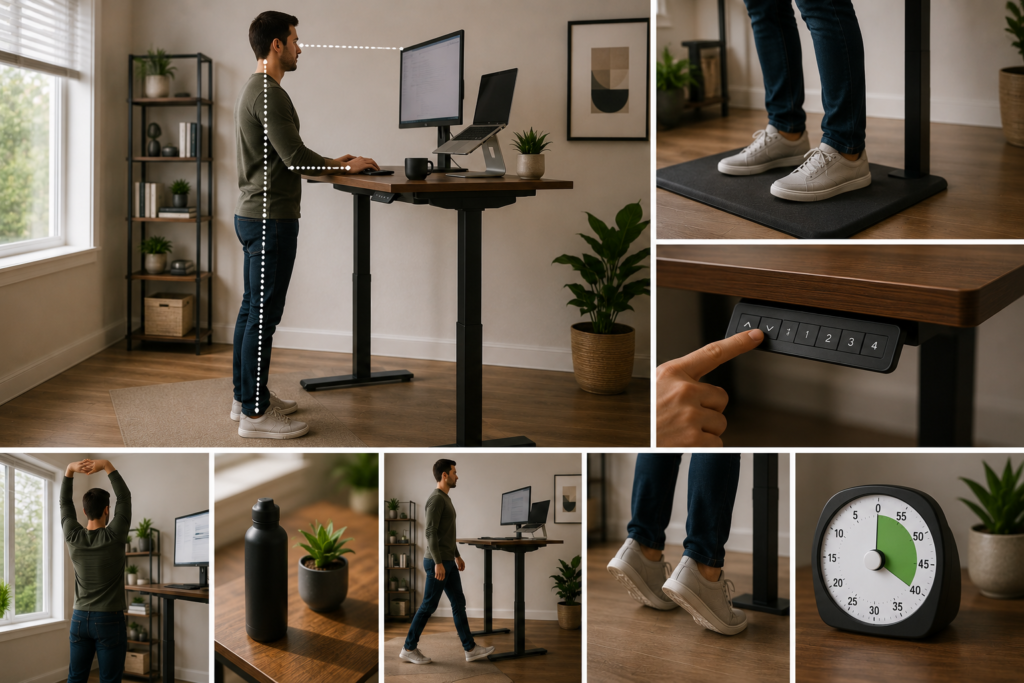
If you’re considering a standing desk, how you use it matters just as much as owning one.
A Practical Sit-Stand Routine
- Start gradually. Begin with short standing intervals around 15 to 30 minutes per hour — rather than switching immediately to standing all day.
- Alternate consistently. Aim to change position every 30 to 60 minutes rather than staying locked into one posture for hours.
- Use proper standing posture. Keep your monitor at eye level, elbows at roughly 90 degrees, and weight evenly distributed on both feet.
- Add an anti-fatigue mat. Standing on a cushioned mat reduces pressure on your feet and legs during longer standing periods.
- Take short walking breaks. Even a few minutes of walking periodically adds more benefit than standing still for hours at a stretch.
Getting the Height Right
Whether sitting or standing, your setup should keep your elbows at roughly a 90-degree angle and your monitor about 20 to 24 inches from your eyes, with the top of the screen at or just below eye level. Many height-adjustable desks include preset buttons so you can save your ideal sitting and standing heights and switch between them instantly.
Who Should Prioritize a Standing Desk?
- People who already sit for most of the workday and want to reduce that sedentary time
- Anyone experiencing lower back discomfort linked to prolonged sitting
- Those who want more flexibility to move throughout the day without leaving their desk
- Remote workers who don’t get much built-in movement elsewhere in their day
Who’s Fine With a Traditional Desk?
- People doing highly precise or detailed work that benefits from a completely stable, non-adjustable surface
- Those on a tighter budget who don’t want to pay the premium for adjustability
- Anyone who already builds in regular movement breaks — walking meetings, frequent errands, an active job outside the desk
- People who prefer a wider range of design and material options, since fixed desks come in more styles
Do You Need a Full Standing Desk?
If a full height-adjustable desk isn’t in your budget, there are lower-cost ways to get some of the same benefits:
- Desk converters/risers sit on top of a traditional desk and raise your monitor and keyboard to standing height when needed.
- Manual crank desks offer height adjustment without the cost of an electric motor, though they’re slower to switch between positions.
- Scheduled standing breaks — simply standing up and moving every 30 to 60 minutes, even without a standing desk, captures some of the circulation and movement benefits.
These options won’t offer the same seamless, one-touch adjustability as an electric standing desk, but they’re a reasonable starting point if you’re not ready to commit to a full setup.
Practical Buying Advice
- If choosing a standing desk, prioritize a quiet, reliable motor with height presets so switching positions doesn’t become a hassle you avoid.
- Check the weight capacity against your monitor setup, especially for dual-monitor or heavy equipment configurations.
- Pair either desk type with a supportive, adjustable office chair — a good desk doesn’t offset a poor chair.
- Add an anti-fatigue mat if you plan to stand regularly, since it noticeably reduces leg and foot discomfort.
- Don’t buy a standing desk expecting to stand all day. Plan for a genuine sit-stand rhythm, not an all-or-nothing switch.
It’s Not Standing vs Sitting — It’s Movement vs Stillness
The real takeaway from the standing desk vs traditional desk debate isn’t that one is universally better than the other — it’s that staying in any single position for hours at a time is the actual problem. A traditional desk offers stability, simplicity, and a lower price tag, while a standing desk adds flexibility and can help ease the effects of prolonged sitting when used consistently and correctly.
For most home offices, a height-adjustable sit-stand desk offers the best of both — the option to sit when you need stability and focus, and the ability to stand and move throughout the day. Whichever you choose, the goal isn’t picking a side; it’s building a workday that keeps your body moving instead of locked into one position for hours at a time.
FAQ
1- Is a standing desk actually better for your back?
It can help — research shows sit-stand desks may ease lower back discomfort tied to prolonged sitting, especially with proper ergonomic setup and consistent use. But standing all day isn’t better; alternating positions is what actually helps.
2- How long should I stand at a standing desk each day?
There’s no universal number, but a common approach is starting with 15 to 30 minutes of standing per hour and adjusting based on comfort, gradually building up rather than standing for hours immediately.
3- Do standing desks really help you burn more calories?
Yes, modestly — standing burns somewhat more calories than sitting. However, the difference is relatively small and shouldn’t be relied on as a meaningful weight-loss or fitness strategy on its own.
4- Can standing too long be bad for you?
Yes. Prolonged standing without movement can cause leg fatigue, swelling, and its own form of back strain — similar risks to sitting too long in one position.
5- Is it worth paying more for an electric standing desk over a manual one?
If you plan to switch positions frequently throughout the day, an electric desk with height presets makes that switching effortless, which increases the odds you’ll actually use it consistently. Manual crank desks work but require more effort to adjust.
6- Do I need a standing desk if I already get regular exercise?
Regular exercise is valuable on its own, but it doesn’t fully offset the effects of prolonged, uninterrupted sitting during work hours. A standing desk (or simply standing breaks) still adds value by reducing extended sedentary stretches throughout your workday.