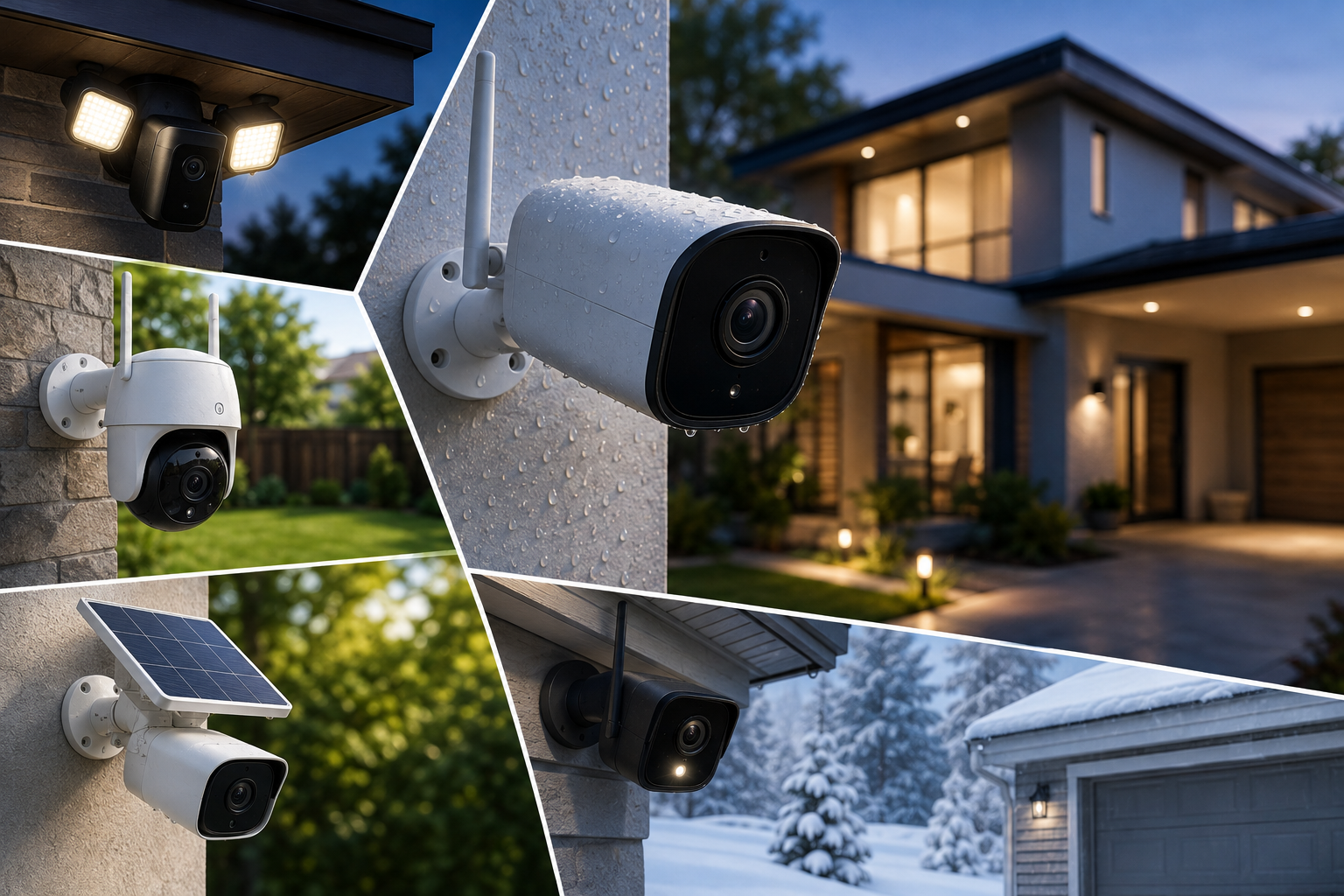
Unlike a video doorbell, which watches one specific spot at your front entrance, an outdoor security camera needs to cover a driveway, a backyard, a side gate, or an entire property perimeter, often in genuinely harsh weather conditions a doorbell never has to survive. Finding the best outdoor security cameras means thinking beyond video quality alone, weatherproofing rating, power source, coverage area, and whether you want a single camera or a full multi-camera system all matter considerably more here than they do for a single front-door device.
This guide walks through exactly what separates a genuinely durable outdoor camera from one that fails after its first real storm, how to choose between wired, wireless, and cellular options, and which features actually earn their place on a property built for real, year-round security.
Outdoor Security Cameras
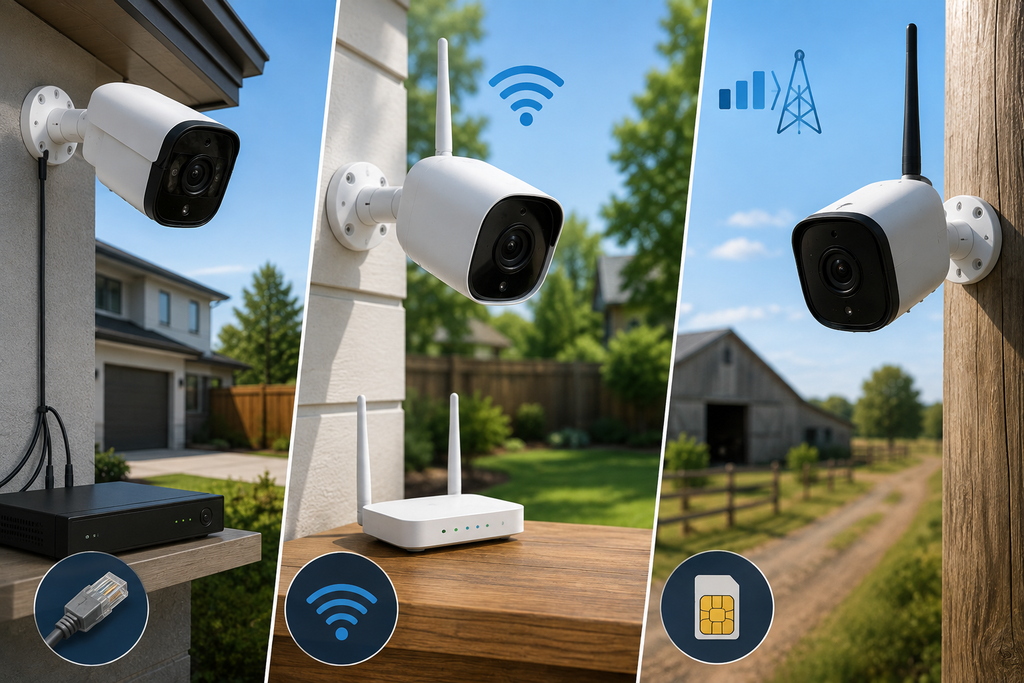
For homeowners wanting the most reliable, always-on coverage, a wired outdoor camera or a wired multi-camera DVR/NVR system delivers rock-solid dependability with zero charging concerns, though installation is more involved and less flexible in terms of placement. If flexibility matters more, battery-powered wireless cameras can go almost anywhere, provided you have strong Wi-Fi coverage at that location and don’t mind periodic recharging. For large properties without reliable Wi-Fi reaching every corner, cellular-connected cameras solve that problem entirely by skipping your router altogether. And if a monthly subscription is a dealbreaker, several strong outdoor camera options now offer free local storage via SD card or a dedicated hub, no recurring fee required for core recording and motion alerts.
Wired vs Wireless vs Cellular: Choosing Your Power and Connection Type
Wired Cameras: Maximum Reliability, Less Flexibility
Wired outdoor cameras draw continuous power, meaning no batteries to charge and no risk of a camera going dark right when you need it most. The trade-off is installation complexity, since running power (and often data) cable to each camera location limits where you can realistically place them without significant extra work.
Wireless Battery Cameras: Go Almost Anywhere
Battery-powered wireless cameras install without any wiring at all, letting you place them virtually anywhere strong enough Wi-Fi reaches, a genuinely valuable advantage for covering a side gate, a detached garage, or an awkward corner of the yard a wired camera couldn’t easily reach.
Cellular Cameras: The Answer for Weak Wi-Fi or Remote Areas
Some outdoor cameras skip home Wi-Fi entirely and connect via cellular network instead, ideal for large properties where your router’s signal simply doesn’t reach, detached structures, distant driveways, or rural properties without reliable home internet service at all.
Power and Connection Comparison
| Type | Reliability | Placement Flexibility | Best For |
| Wired | Highest (no charging) | Limited by cable runs | Permanent installations, full-home systems |
| Wireless (battery) | Good, needs periodic recharging | High, goes almost anywhere with Wi-Fi | Flexible placement, easy DIY setup |
| Cellular | Good, independent of home Wi-Fi | High, works without router coverage | Large properties, weak Wi-Fi zones, remote areas |
| Solar-assisted | Very good, extends battery life significantly | High | Reducing recharge frequency on wireless cameras |
Weatherproofing: The Rating That Actually Matters Outdoors
Understanding IP Ratings
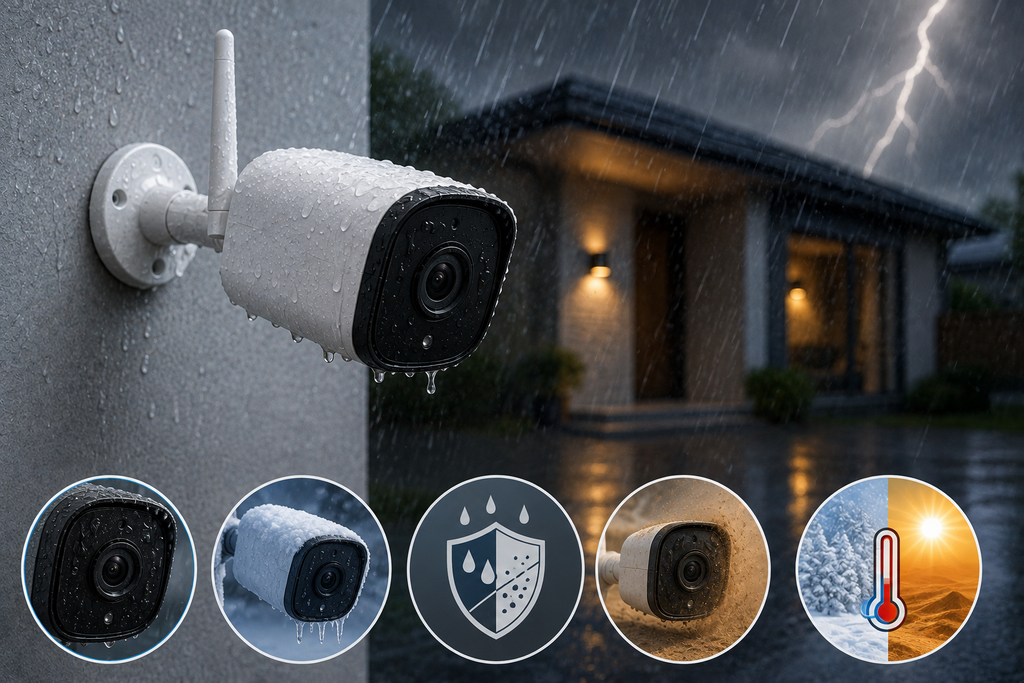
Outdoor cameras are rated using an IP (Ingress Protection) code, two numbers indicating resistance to dust and water respectively. Look specifically for a rating of IP65 or higher for genuine outdoor durability, with IP66 and IP67 offering progressively stronger protection against heavy rain, dust, and temperature extremes.
Why This Matters More Than Marketing Photos Suggest
A camera that looks rugged in product photos can still fail prematurely in real conditions if its actual IP rating is inadequate for your climate. Homeowners in regions with heavy snow, intense summer heat, or frequent storms should prioritize cameras explicitly rated for temperature extremes and sustained moisture exposure, not just “outdoor use” as a vague marketing claim.
Matching Rating to Your Climate
| Climate Condition | Minimum Recommended IP Rating |
| Mild, moderate rainfall | IP65 |
| Heavy rain, humidity, coastal areas | IP66 |
| Extreme cold, snow, or desert heat | IP67 |
Solar Power: A Genuinely Useful Add-On for Battery Cameras
Some wireless outdoor cameras pair with an adjustable solar panel accessory specifically to keep the internal battery topped off, meaningfully reducing or even eliminating the need for manual recharging over the course of a year. This is particularly worth considering for cameras placed in hard-to-reach spots, high on an exterior wall or over a detached garage, where climbing up to recharge a battery every few months becomes a genuine hassle.
Night Vision: What Actually Separates Good From Great
Standard Infrared vs Color Night Vision
Traditional infrared night vision produces black-and-white footage, which still captures motion and general activity clearly but loses color detail that could matter for identifying a vehicle or clothing. Color night vision, typically enabled through a built-in spotlight or advanced low-light sensor, preserves genuine color detail even in near-total darkness, a meaningful upgrade for actually identifying who or what triggered an alert.
Night Vision Range
Range varies considerably by model, with some outdoor cameras rated to capture usable footage 65 to 80 feet away in the dark. For larger properties or long driveways, prioritizing a camera with a genuinely long night vision range matters more than it might for a smaller, tightly enclosed yard.
Motion Detection: Cutting Through the False Alarm Noise
Why Basic Motion Detection Isn’t Enough
Older or budget cameras trigger alerts for any movement at all, a leaf blowing across the yard, a passing car, a cat wandering through the frame, which quickly becomes exhausting and causes people to start ignoring notifications altogether.
AI-Powered Person and Vehicle Detection
More advanced outdoor cameras use on-device or cloud-based AI to specifically distinguish between people, vehicles, and irrelevant movement, dramatically cutting down on false alerts and letting you set notifications specifically for the activity that actually matters.
Custom Activity Zones
Many higher-end cameras let you draw specific activity zones directly on the camera’s field of view, focusing detection on your driveway or front walkway while ignoring the street or a neighbor’s yard entirely, further reducing irrelevant notifications.
Single Cameras vs Full DVR/NVR Systems
When a Single Camera Makes Sense
For covering one specific area, a driveway, a back door, a single camera (wired, wireless, or solar-assisted) is often the simplest, most cost-effective solution.
When a Multi-Camera System Makes More Sense
For covering an entire property perimeter, a multi-camera system connected to a central DVR (digital video recorder, for standard cameras) or NVR (network video recorder, for IP cameras) offers centralized recording and storage, often scalable to a large hard drive supporting extensive continuous recording history across every camera at once.
The Installation Trade-Off
Multi-camera wired systems generally involve more complex installation, since each camera needs to be wired back to the central recorder, and professional installation is often worth considering for optimal camera placement and cable routing across a larger property.
Subscription vs No-Subscription: What You’re Really Choosing
Why Most Systems Push a Monthly Plan
Similar to video doorbells, most outdoor camera brands offer free live view and basic motion alerts, but extended video history and cloud backup typically require a paid monthly or annual plan, commonly ranging from roughly $3 to $12 per month depending on the number of cameras and storage duration.
Cameras That Skip the Subscription Entirely
A growing number of outdoor cameras now offer genuinely free local storage, via a microSD card directly in the camera, a dedicated storage hub, or a full DVR/NVR hard drive, with no subscription required for core recording and motion alert features. This has become an increasingly strong selling point for budget-conscious buyers and anyone specifically wanting to avoid recurring fees.
What You Give Up Without Cloud Backup
The genuine trade-off with local-only storage is that if the physical camera or storage device is damaged, stolen, or destroyed, you may lose that footage entirely, unlike cloud storage, which preserves an off-site backup regardless of what happens to the physical hardware.
Additional Features Worth Comparing
Built-In Spotlights and Sirens
Many current outdoor cameras integrate a spotlight that activates automatically in low light, both improving color night vision and serving as a visible deterrent, alongside a built-in siren that can be triggered remotely or automatically upon detecting suspicious activity.
Two-Way Audio
Two-way talk lets you communicate directly through the camera, useful for warning off a trespasser, giving delivery instructions, or checking in on activity without needing to physically go outside.
Pan-Tilt-Zoom (PTZ) Coverage
Motorized pan-and-tilt cameras can actively track motion and be manually or automatically repositioned to follow activity across a wider area than a fixed camera’s static field of view, particularly useful for covering a large yard or open property with a single camera rather than multiple fixed units.
Smart Home Voice Control
Look for compatibility with Alexa or Google Home if you want hands-free live view access or voice-triggered alerts integrated with the rest of your connected home devices.
Matching Camera Type to Your Property
| Property Type | Recommended Setup |
| Single entry point (driveway, back door) | One wireless or wired camera |
| Full perimeter coverage | Multi-camera DVR/NVR system |
| Large property, weak Wi-Fi | Cellular-connected camera |
| Hard-to-reach mounting location | Solar-assisted wireless camera |
| Wide, open yard | Pan-tilt-zoom (PTZ) camera |
| Budget-conscious, no monthly fee | Local storage (SD card or hub) camera |
Practical Buying Tips
- Check the specific IP rating against your regional climate, don’t assume “outdoor” alone means adequately weatherproof for your conditions
- Consider a solar panel accessory for wireless cameras mounted in hard-to-reach locations to reduce manual recharging
- Prioritize AI-based person and vehicle detection with customizable activity zones if false alerts are a concern
- Calculate the real cost difference between subscription and local-storage models over a few years, not just the upfront price
- For full-property coverage, compare single high-end cameras against a multi-camera DVR/NVR system based on your actual coverage needs and budget
Common Mistakes to Avoid
- Assuming any “outdoor-rated” camera is adequately weatherproof, without checking the specific IP rating against your actual climate
- Choosing wireless without confirming strong Wi-Fi coverage reaches the intended mounting location, leading to connectivity dropouts
- Overlooking solar accessories for hard-to-reach cameras, creating an unnecessary ongoing hassle of manual recharging
- Ignoring motion detection quality, ending up buried in false alerts from leaves, pets, or passing traffic
- Not calculating long-term subscription costs, missing that local-storage models can be considerably cheaper over several years despite similar upfront pricing
Conclusion
Choosing the best outdoor security cameras for your property comes down to matching power source and connectivity to your actual installation locations, confirming genuine weatherproofing for your regional climate, and deciding honestly whether a monthly subscription or local storage better fits your budget and privacy priorities. Whether you need a single camera watching your driveway or a full multi-camera system covering your entire perimeter, prioritizing real IP ratings, reliable motion detection, and the right connection type over flashy marketing claims will give you outdoor security that actually holds up, through every season, for years to come.
Frequently Asked Questions
1- What IP rating should an outdoor security camera have?
Look for IP65 or higher for genuine outdoor durability, with IP66 or IP67 recommended for regions with heavy rain, extreme cold, or intense heat.
2- Is a wired or wireless outdoor camera better?
Wired cameras offer the most reliable, always-on coverage with no charging concerns, while wireless cameras offer far more placement flexibility, provided strong Wi-Fi reaches the installation location.
3- Do outdoor security cameras need Wi-Fi to work?
Not always. Cellular-connected outdoor cameras skip home Wi-Fi entirely, making them a strong option for large properties, remote locations, or areas with weak router coverage.
4- Can I avoid a monthly subscription for outdoor security cameras?
Yes, a growing number of outdoor cameras offer free local storage through an SD card, a dedicated hub, or a DVR/NVR system, with no recurring fee required for basic recording and motion alerts.
5- What is color night vision, and is it worth it?
Color night vision preserves genuine color detail in low light, typically using a built-in spotlight or advanced sensor, offering a meaningful identification advantage over standard black-and-white infrared night vision.
6- Do I need a single camera or a full multi-camera system?
This depends on your coverage needs, a single camera works well for one specific area like a driveway or back door, while full perimeter coverage on a larger property generally calls for a multi-camera DVR or NVR system.
7- How does solar power help with wireless outdoor cameras?
An adjustable solar panel accessory keeps a wireless camera’s battery topped off, significantly reducing or even eliminating the need for manual recharging, particularly valuable for cameras mounted in hard-to-reach locations.