The debate between smart locks and traditional deadbolts usually starts with a simple question: does going high-tech actually make your front door more secure, or just more convenient? The honest answer is that it depends less on the technology itself and more on the specific lock’s build quality, installation, and how carefully you manage it day to day.
This guide compares smart locks and traditional deadbolts across security, cost, convenience, and reliability, helping you decide which fits your household best. We’ll also cover ANSI lock grades, keyless entry, and practical buying advice for American homeowners weighing this upgrade.
By the end, you’ll understand what genuinely makes a lock secure, and why the smart-versus-traditional debate often matters less than the grade and installation quality behind either option.
Which Is More Secure?
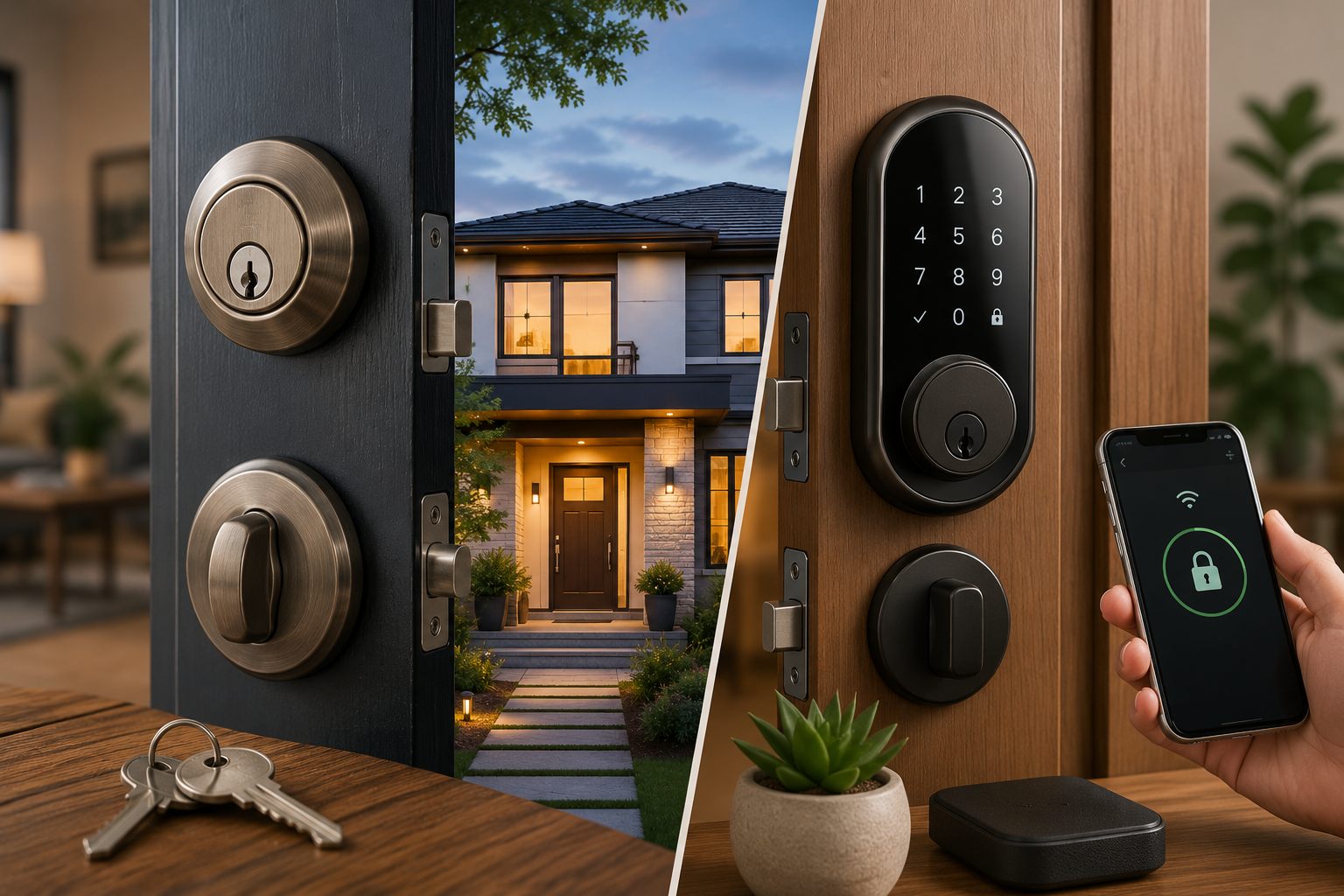
When both lock types carry the same ANSI/BHMA grade and are installed correctly, their resistance to forced entry is genuinely comparable, since many smart locks use the same underlying deadbolt mechanism as a traditional lock. The real difference isn’t inherent strength, it’s the type of risk each one introduces: traditional deadbolts face purely physical threats like picking, bumping, or kicking, while smart locks add digital considerations like weak passwords, outdated firmware, and network security.
Neither category is automatically safer than the other. What matters most is choosing a lock with a strong ANSI grade rating and having it professionally installed on a solid door and frame.
Understanding ANSI/BHMA Grades Before You Compare Anything Else
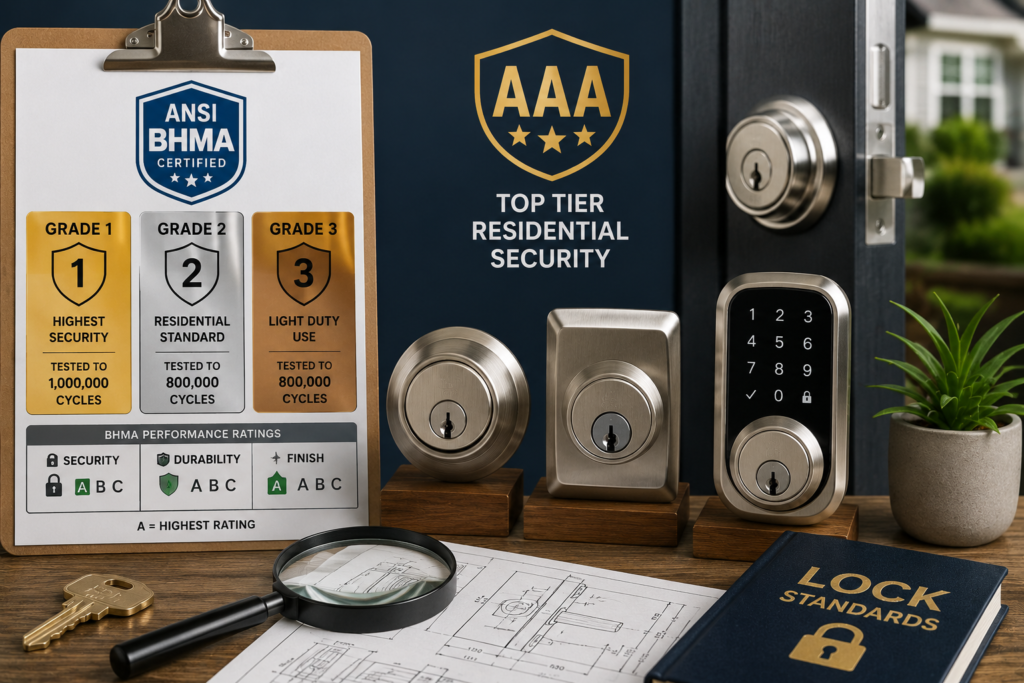
Before comparing smart and traditional locks directly, it’s worth understanding the rating system that actually determines a lock’s physical strength, regardless of whether it’s electronic or mechanical.
ANSI/BHMA grades classify locks into three tiers based on performance testing: Grade 1 is the highest level, commonly tested for roughly one million operational cycles, while Grades 2 and 3 are typically tested for around 800,000 cycles and represent standard residential and light-duty use respectively. Grade 1 is generally reserved for commercial or high-security settings, Grade 2 is common in residential applications, and Grade 3 covers lighter-duty hardware.
Beyond the numeric grade, BHMA also assigns letter ratings for security, durability, and finish, with “A” representing the top tier in each category, meaning a lock rated AAA sits at the very top of the residential hardware spectrum. When shopping for either a traditional or smart lock, checking for a documented Grade 1 rating is the single most reliable way to confirm genuine physical security, regardless of which category you ultimately choose.
How Traditional Deadbolts Actually Work
Traditional deadbolts remain the security standard many locksmiths still recommend, relying entirely on mechanical strength rather than electronics.
A traditional deadbolt uses a hardened steel bolt driven into the door frame’s strike plate, operated by a physical key from outside or a thumb turn from inside. Because the mechanism has no dependency on power, software, or network connectivity, it simply can’t fail due to a dead battery, a software bug, or a Wi-Fi outage, working identically whether it’s day one or twenty years later.
Traditional Deadbolt Strengths
- No batteries, electricity, or internet connection required to function
- Simple, predictable mechanism with decades of proven reliability
- Lower upfront cost, generally $30 to $80 for quality hardware
- Minimal maintenance beyond occasional lubrication
- No digital attack surface whatsoever
Traditional Deadbolt Limitations
- No remote access or ability to check lock status from away
- Lost or stolen keys require a physical rekey, sometimes at real expense
- No temporary access codes for guests, contractors, or house sitters
- No activity log showing who entered and when
How Smart Locks Actually Work
Smart locks build electronic access onto a mechanical foundation, offering considerably more flexibility in exchange for added complexity.
A smart lock replaces or supplements a traditional deadbolt cylinder with an electronic actuator, typically accepting a PIN code, mobile app command, key fob, biometric scan, or home-automation signal in addition to, or instead of, a physical key. Some models retrofit directly over your existing deadbolt hardware, while others require a full hardware replacement.
Smart Lock Strengths
- Remote locking and unlocking from anywhere via a smartphone app
- Temporary or scheduled access codes for guests, cleaners, or contractors
- Activity logs showing exactly who unlocked the door and when
- No more lost-key lockouts, since many models include keypad or app-based backup access
- Integration with broader smart home and security systems
Smart Lock Limitations
- Relies on battery power or electricity, meaning it can fail if batteries die or power is lost, unless a mechanical backup key exists
- Introduces a digital attack surface requiring strong passwords and regular firmware updates
- Generally costs more upfront, often $100 to $450 depending on features
- Some models require professional installation to properly align internal components
- Ongoing maintenance includes battery changes and occasional software updates
Comparing Smart Locks and Traditional Deadbolts Side by Side
| Factor | Traditional Deadbolt | Smart Lock |
| Typical cost | $30–$80 | $100–$450 |
| Power dependency | None | Battery or electric, usually with backup key |
| Physical security | Depends on ANSI grade | Depends on ANSI grade of underlying mechanism |
| Digital risk | None | Password, firmware, network vulnerabilities |
| Remote access | No | Yes, via app |
| Guest access codes | No | Yes, temporary or scheduled |
| Maintenance | Occasional lubrication | Battery changes, software updates |
| Installation | Simple, often DIY-friendly | Sometimes requires professional installation |
The Truth About Hacking Risk
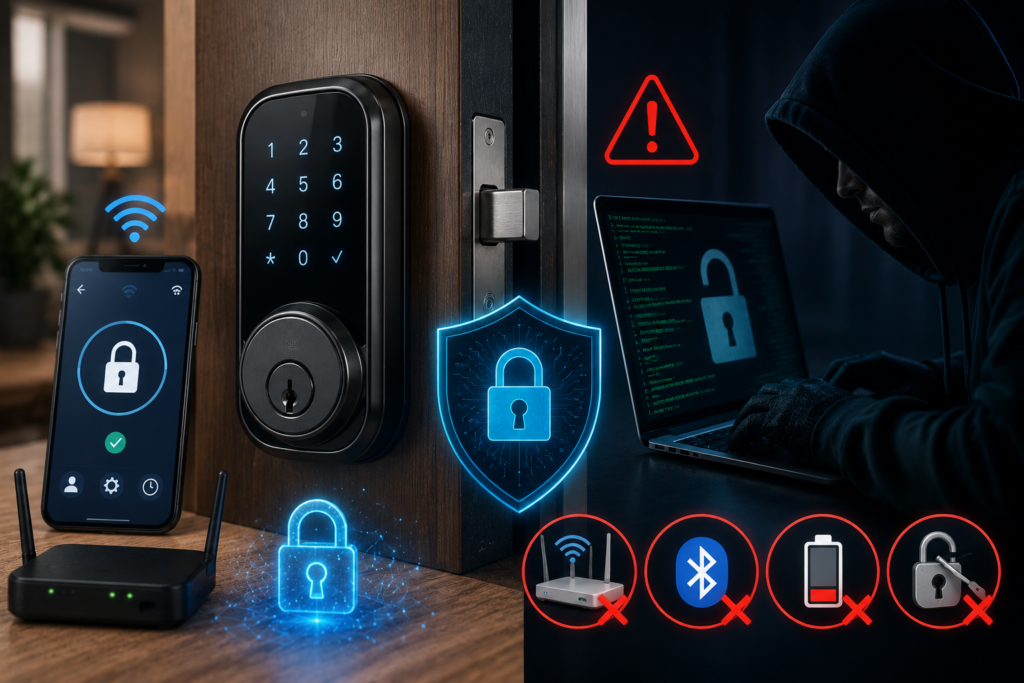
Digital security concerns are probably the single biggest hesitation homeowners have about smart locks, and it’s worth addressing directly with a realistic perspective.
For most homeowners, physical attacks like kicking, prying, or exploiting an open window remain far more common than sophisticated digital hacking attempts. Smart locks can, in theory, be probed or compromised through weak passwords, outdated firmware, or an unsecured home Wi-Fi network, but models with strong encryption, platform authentication, and regular software updates significantly reduce this risk. In practice, if you keep your smart lock’s firmware updated and use a genuinely strong, unique password, the realistic hacking risk stays low.
It’s also worth noting that traditional deadbolts aren’t immune to their own quiet vulnerability: keypad-equipped versions can develop visibly worn buttons after years of entering the same code, potentially revealing the combination to an observant passerby, a risk that has nothing to do with electronics at all.
What Actually Determines Real-World Security
Regardless of which type you choose, a few factors matter more to genuine home security than the smart-versus-traditional debate itself.
- Door and frame quality: A Grade 1 deadbolt installed on a flimsy, hollow-core door offers far less real protection than the lock’s rating alone would suggest, since attackers often target the weakest point in the entire door assembly, not just the lock cylinder.
- Professional installation: Both lock types depend on correct installation for their rated strength to actually apply; a poorly installed Grade 1 lock can underperform a properly installed Grade 2 lock in practice.
- Strike plate reinforcement: A reinforced, properly screwed strike plate meaningfully increases resistance to kick-in attempts, often more than the lock cylinder itself.
- Realistic burglar behavior: Most burglars are opportunists looking for an unlocked door or window rather than skilled lock-pickers, meaning basic vigilance about locking up often matters more than which lock type you’ve chosen.
Cost Comparison: What You’ll Actually Pay
Understanding the full cost picture, not just the sticker price, helps you budget realistically for either option.
Basic traditional deadbolts typically run $30 to $80 for quality residential hardware, with installation often simple enough for confident DIYers using just a screwdriver. Smart locks span a considerably wider range, from around $100 for a basic Bluetooth retrofit model up to $250 to $450 for Wi-Fi, Z-Wave, or biometric-enabled units, and some models benefit from professional installation to ensure proper alignment.
Hidden costs worth considering: A lost traditional key can mean an emergency locksmith call, sometimes $75 per hour or more for labor, while a smart lock effectively eliminates that specific risk through app or keypad backup access. For landlords or short-term rental hosts, smart locks can also reduce the ongoing cost of rekeying between tenants or guests, an advantage that grows with each turnover.
Who Should Choose Which Option
Matching the right lock type to your specific situation matters more than following a general trend.
- Choose a traditional deadbolt if: You want maximum reliability without any dependency on batteries or software, prefer the lowest upfront cost, or simply don’t need remote access or guest codes for your household’s daily routine.
- Choose a smart lock if: You frequently need to grant temporary access to guests, contractors, or a cleaning service, want the ability to check or control your door remotely, or you’re managing a rental property where reducing rekey costs between tenants adds up over time.
- Consider a hybrid approach: Many smart locks retain a mechanical keyed override or SmartKey backup cylinder specifically for this reason, giving you electronic convenience day to day while preserving a purely mechanical fallback if batteries ever die unexpectedly.
Practical Buying Advice
A few specific considerations help you choose confidently, regardless of which category you land on.
- Always check for a published ANSI/BHMA grade: Reputable manufacturers publish this rating clearly; avoid lesser-known brands that don’t disclose grading for their underlying mechanical components, smart or traditional.
- Prioritize models with a mechanical backup: For smart locks specifically, a keyed override or backup keypad protects you if batteries die or electronics fail unexpectedly.
- Budget for professional installation on smart locks: Especially for models with more complex Wi-Fi or Z-Wave connectivity, proper installation genuinely affects both function and security.
- Update firmware and passwords regularly: This single habit addresses the majority of realistic digital risk associated with smart locks.
- Reinforce the whole door assembly, not just the lock: A quality strike plate and solid door frame meaningfully improve real-world security regardless of which lock you choose.
Grade and Installation Matter More Than the Debate Itself
Choosing between a smart lock and a traditional deadbolt ultimately comes down to matching the technology to your household’s actual needs, not assuming one category is universally more secure than the other. Traditional deadbolts offer proven, dependency-free reliability at a lower cost, while smart locks trade a bit of added complexity for genuine convenience through remote access, guest codes, and activity tracking. Whichever you choose, prioritize a documented ANSI/BHMA Grade 1 or 2 rating, professional installation, and a reinforced door and strike plate, since these factors influence your home’s real-world security far more than the smart-versus-traditional debate alone.
Frequently Asked Questions
1- Are smart locks less secure than traditional deadbolts?
Not inherently. When both carry the same ANSI grade and are installed correctly, their resistance to physical forced entry is comparable; smart locks simply introduce a different category of risk related to digital security.
2- Can smart locks really be hacked?
It’s possible with weak passwords or outdated firmware, but models with strong encryption and regular updates keep this risk low, and physical break-in attempts remain far more common for most homes.
3- What happens if my smart lock’s battery dies?
Most smart locks include a mechanical key override or backup keypad access specifically for this scenario, so a dead battery doesn’t typically lock you out entirely.
4- Is a Grade 1 lock necessary for a home?
While Grade 2 is standard for most residential applications, Grade 1 offers additional peace of mind and is worth considering for exterior doors if budget allows.
5- Do smart locks need professional installation?
Some simpler retrofit models are DIY-friendly, but more complex Wi-Fi or Z-Wave-enabled locks often benefit from professional installation to ensure proper alignment and function.
6- Which option is better for a rental property?
Smart locks often provide better long-term value for landlords, since they reduce the cost and hassle of rekeying between tenants and allow remote access management.