
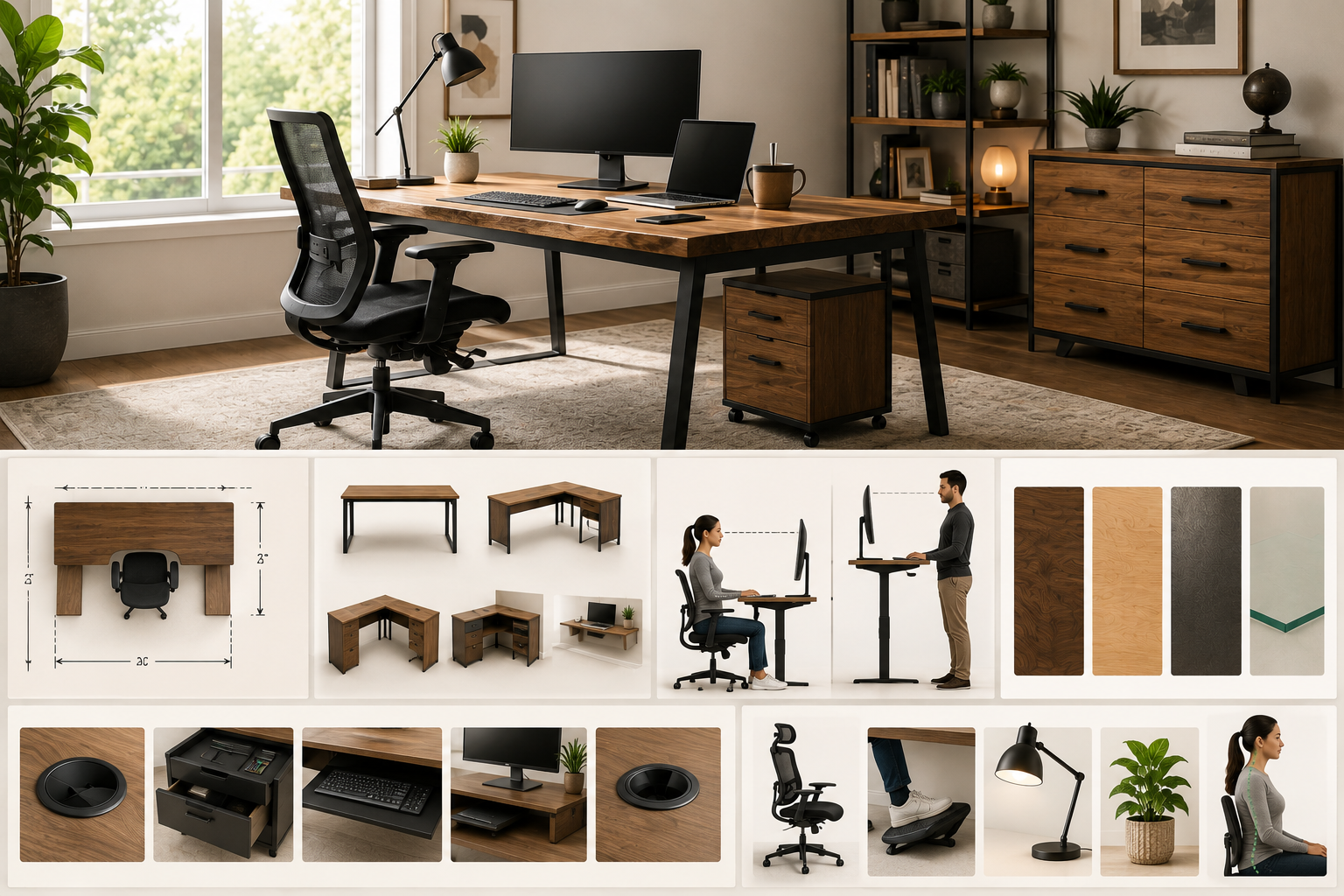
Shopping for a home office desk sounds simple until you’re staring at dozens of shapes, sizes, materials, and price points, all claiming to be the “best” option. The truth is, there’s no single best desk for everyone. The right one depends on your workspace, how you work, and what your body needs to stay comfortable through the day.
A good home office desk should be at least 48 inches wide and 24 inches deep, sit around 29 to 30 inches high (or be height-adjustable), and be made from a material that matches your budget and daily use. Beyond that, your choice comes down to desk shape, storage needs, and whether a standing desk fits your work style.
This guide breaks down every decision point size, shape, height, material, and features so you can choose a desk that actually works for your space and your body, not just one that looks good in a photo.
Why Choosing the Right Desk Matters More Than It Seems
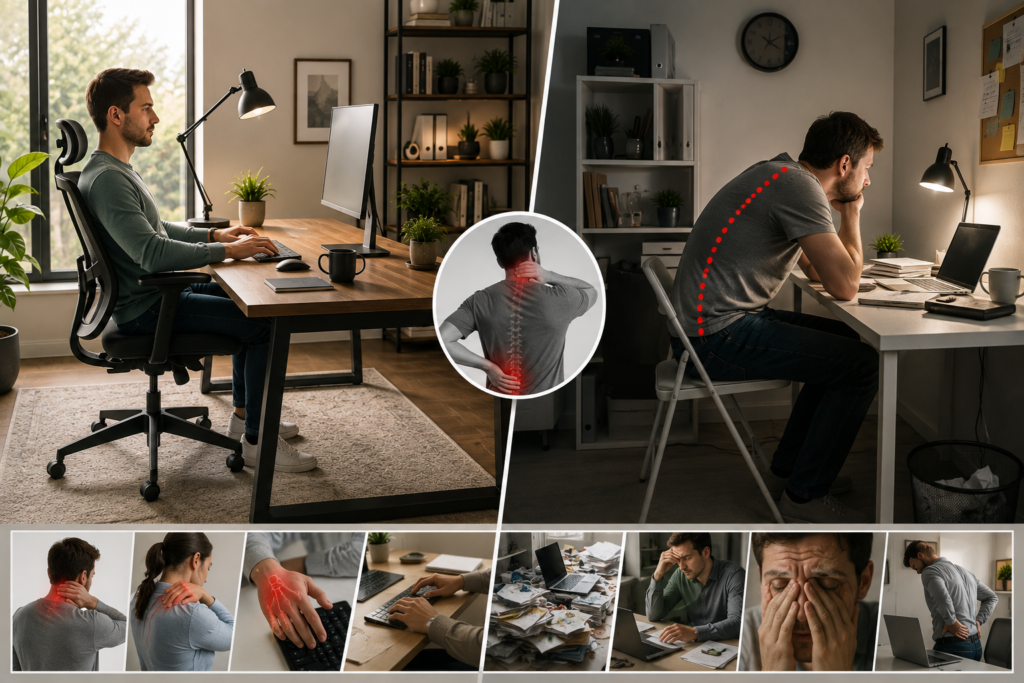
A desk isn’t just a surface for your laptop it’s the foundation of your posture, focus, and comfort for hours every day. The wrong size can leave you cramped or force awkward reaching. The wrong height can strain your neck, shoulders, and wrists over time. And the wrong shape can make an otherwise good room feel cluttered or inefficient.
Getting these fundamentals right upfront saves you from working around a bad setup for years or replacing the desk sooner than you’d like.
Step 1: Figure Out the Right Desk Size for Your Space
Before looking at styles, measure your room and figure out how much workspace you actually need.
Standard Desk Size Guidelines
| Desk Type | Width | Depth | Best For |
| Compact/Writing Desk | 30–40″ | 18–22″ | Small rooms, laptops, minimal setups |
| Standard Desk | 48–60″ | 24–28″ | Most home offices, single-monitor setups |
| Large/Executive Desk | 66–72″+ | 28–30″ | Dual monitors, paperwork-heavy work |
| Standing Desk | 40–60″ | 24–28″ | Adjustable use, single or dual monitor |
A general rule: 48 inches wide by 24 inches deep is the minimum comfortable workspace for most people using a computer, keyboard, and a bit of extra desk space. If you use two monitors or need paper workspace alongside your screen, aim for 58 to 60 inches or more.
Measuring Your Room Correctly
- Leave at least 30 to 36 inches of clearance behind the desk for your chair to move freely.
- Account for doorways, closets, and windows the desk might block.
- If placing the desk against a wall, measure the full wall length not just the space that “looks” open.
Step 2: Choose a Desk Shape That Matches Your Workflow
Desk shape affects both how much space you have and how the desk fits into your room’s layout.
Rectangular (Straight) Desks
The most common and versatile option. Rectangular desks fit against a wall or in the middle of a room and work well in almost any space.
Best for: Small to medium rooms, minimalist setups, single-monitor workstations.
L-Shaped Desks
These desks combine two work surfaces at a right angle, offering significantly more surface area without needing a huge room since one section can tuck into a corner.
Best for: Multitaskers, dual-monitor setups, anyone who needs separate zones for computer work and paperwork.
Watch for: L-shaped desks need enough floor space to accommodate the corner footprint, so measure both wall lengths where the desk will sit.
U-Shaped Desks
A U-shaped desk wraps around three sides, offering the most surface area of any standard shape. It’s less common in home offices due to the space it requires.
Best for: Larger home offices, executive-style setups, roles involving heavy paperwork or multiple screens.
Corner Desks
Similar in concept to an L-shaped desk but often smaller and more compact, corner desks are designed specifically to maximize an unused room corner.
Best for: Small bedrooms or shared rooms where floor space is limited.
Floating (Wall-Mounted) Desks
These attach directly to the wall with no legs, saving floor space and creating a minimalist look.
Best for: Very small rooms, laptop-only setups, or secondary workstations.
Watch for: Limited weight capacity and less stability for heavier equipment like dual monitors.
Step 3: Get the Height Right (This Matters More Than You Think)
Desk height directly affects your posture, and getting it wrong is one of the most common causes of neck, shoulder, and wrist discomfort during long work sessions.
Standard Desk Height
Most fixed desks are built at 29 to 30 inches high, which suits the average adult using a standard office chair. The general ergonomic guideline is simple:
- Your elbows should rest at roughly a 90-degree angle when typing.
- Your feet should sit flat on the floor (or on a footrest if needed).
- Your monitor should sit about 20 to 24 inches from your eyes, with the top of the screen at or just below eye level.
When Standard Height Doesn’t Fit You
If you’re notably taller or shorter than average, a fixed 29–30 inch desk may not put your elbows at the right angle, even with an adjustable chair. In these cases, a height-adjustable desk becomes a more practical solution than trying to compensate with cushions or risers.
Fixed-Height vs. Standing Desks: Which Should You Choose?
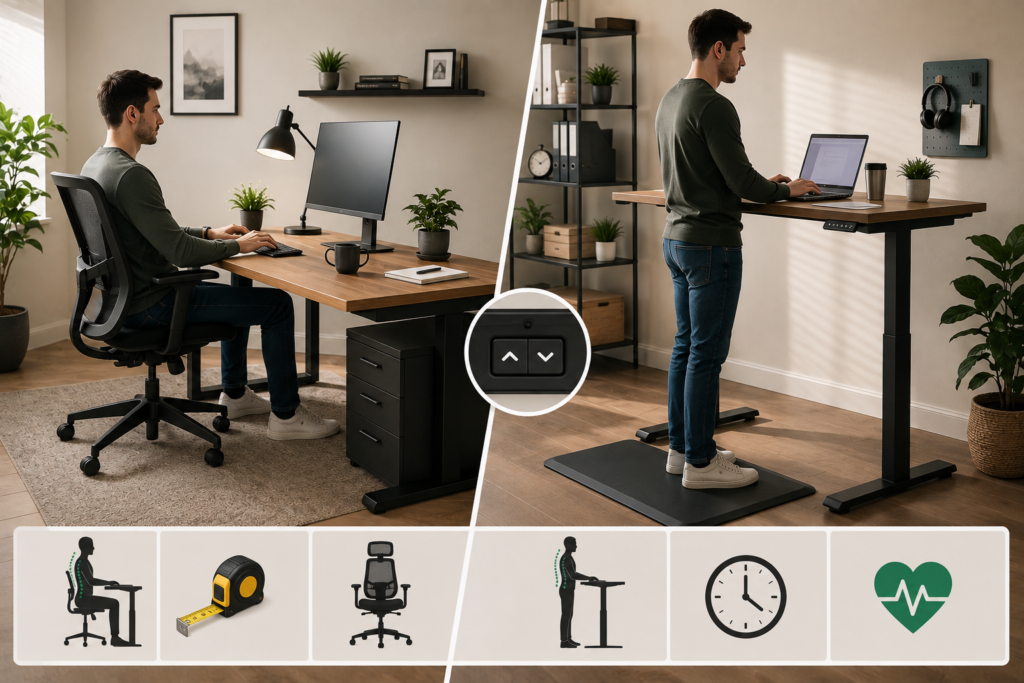
This is one of the biggest decisions in the buying process, and it comes down to how you work — not just what’s trending.
| Feature | Fixed-Height Desk | Standing (Height-Adjustable) Desk |
| Stability | Very stable, no moving parts | Slightly less rigid at full height, especially on budget models |
| Price | Generally lower | Generally higher |
| Health Benefits | None built-in | Allows sitting/standing alternation |
| Maintenance | Minimal | Motor or crank mechanism may need occasional attention |
| Best For | Heavy equipment, precision work, budget setups | Reducing sedentary time, back discomfort, flexible work styles |
| Adjustment Range | None | Typically 28″ to 45–48″ |
Who Should Consider a Standing Desk
- People who sit for most of the workday and want to reduce prolonged sitting
- Anyone dealing with lower back discomfort from long sitting sessions
- Those who prefer flexibility to switch positions throughout the day
Who’s Fine With a Fixed-Height Desk
- Anyone doing precision work (design, drafting, detailed assembly) that benefits from a completely stable surface
- Budget-conscious buyers who don’t need adjustability
- People who already use a highly adjustable, supportive office chair
If you do go with a standing desk, look for one-touch height presets, a quiet motor, and anti-collision sensors if the desk will be used around kids or pets these features make daily adjustment far more practical.
Step 4: Pick a Material That Matches Your Budget and Use
Desk material affects durability, weight, price, and how the desk looks in your room.
Laminate
Made from particleboard or MDF with a printed, protective surface layer. Laminate is budget-friendly and resists scratches and stains reasonably well for everyday use.
Best for: Budget setups, high-use surfaces, simple modern looks.
Wood Veneer
A thin layer of real wood applied over an engineered core, giving the appearance of solid wood at a lower cost.
Best for: A more premium look on a moderate budget. Avoid in humid rooms, since veneer can lift or warp over time.
Solid Wood
The most durable and premium option, solid wood desks can last for decades and can typically be refinished if the surface gets worn or scratched.
Best for: Long-term investment pieces, especially if you want a desk that lasts well beyond a single move or redecoration.
Metal and Metal-Wood Combinations
Metal frames paired with wood or laminate tops are common in modern and industrial-style desks. Metal adds strength and stability, especially for standing desk frames.
Best for: Standing desks, modern aesthetics, and setups needing extra frame durability.
Glass
Glass desks offer a sleek, minimal look but show fingerprints and dust more easily, and generally offer less warmth or storage integration than wood or laminate options.
Best for: Minimalist design preferences in low-clutter setups.
Step 5: Think Through Storage and Functional Features
Once size, shape, height, and material are settled, storage and small features make the biggest difference in daily usability.
Storage Options to Consider
- Drawers — useful for supplies, cables, and personal items
- File drawers — important if you handle physical paperwork regularly
- Hutch or shelving — adds vertical storage without using more floor space
- Open shelving — good for books, decor, or frequently used items
Small Features That Make a Big Difference
- Cable management holes or trays — keeps cords organized and out of sight
- Keyboard trays — can help lower typing height for better ergonomics
- Built-in outlets or USB ports — convenient for charging devices without extra cords
- Weight capacity — especially important for standing desks holding monitors, docking stations, or multiple devices
Practical Buying Advice: How to Choose With Confidence
- Measure your room first, then shop. Buying a desk you love and hoping it fits is a common and costly mistake.
- Match the desk to your actual work, not an idealized version of it. If you rarely use two monitors, you likely don’t need a 72-inch executive desk.
- Prioritize ergonomics over aesthetics. A beautiful desk that causes wrist or neck strain isn’t a good long-term choice.
- Don’t skip the chair. Even the best desk can’t fix poor posture if it’s paired with an unsupportive chair.
- Consider your budget across the whole setup, not just the desk chair; lighting and monitor height all work together.
- If choosing a standing desk, check the weight capacity against everything you plan to place on it, including monitor arms and docking stations.
The Best Desk Is the One That Fits You
There’s no universal “best” home office desk only the best desk for your space, your work style, and your body. Start with size and shape based on your room, get the height right for your posture, choose a material that matches your budget and how hard you’ll use it, and only then think about extras like storage and cable management.
Take the time to measure your space and think honestly about how you actually work before you buy. A desk that fits your real daily needs not just your Pinterest board is the one that will keep you comfortable, organized, and focused for years to come.
FAQ
1- What is the ideal desk height for most people?
Standard desks are built around 29 to 30 inches high, which works for most average-height adults. If you’re notably taller or shorter, a height-adjustable desk offers more flexibility to find your ideal position.
2- Is an L-shaped desk better than a rectangular desk?
Not universally better — it depends on your space and workflow. L-shaped desks offer more total surface area and are great for multitasking or dual monitors, but they need more floor space and a suitable corner layout.
3- Do I really need a standing desk?
Not necessarily. Standing desks offer flexibility and can help reduce prolonged sitting, but a well-designed fixed-height desk paired with a supportive chair is a perfectly good option for many people, especially those doing precision or highly stable work.
4- What’s the most durable desk material?
Solid wood is generally the most durable and long-lasting option, often lasting decades and able to be refinished. Laminate is a solid, budget-friendly alternative for everyday use, though it typically doesn’t last as long under heavy daily wear.
5- How much desk space do I actually need?
For most single-monitor setups, 48 inches wide by 24 inches deep is sufficient. If you use dual monitors, need paperwork space, or want extra room for accessories, look toward 58 to 60 inches or more.
6- Are cheaper desks worth buying?
It depends on your needs. Budget desks made from particleboard or basic laminate are fine for light use and smaller rooms, but they generally don’t hold up as well under heavy daily use compared to solid wood or higher-grade laminate options.