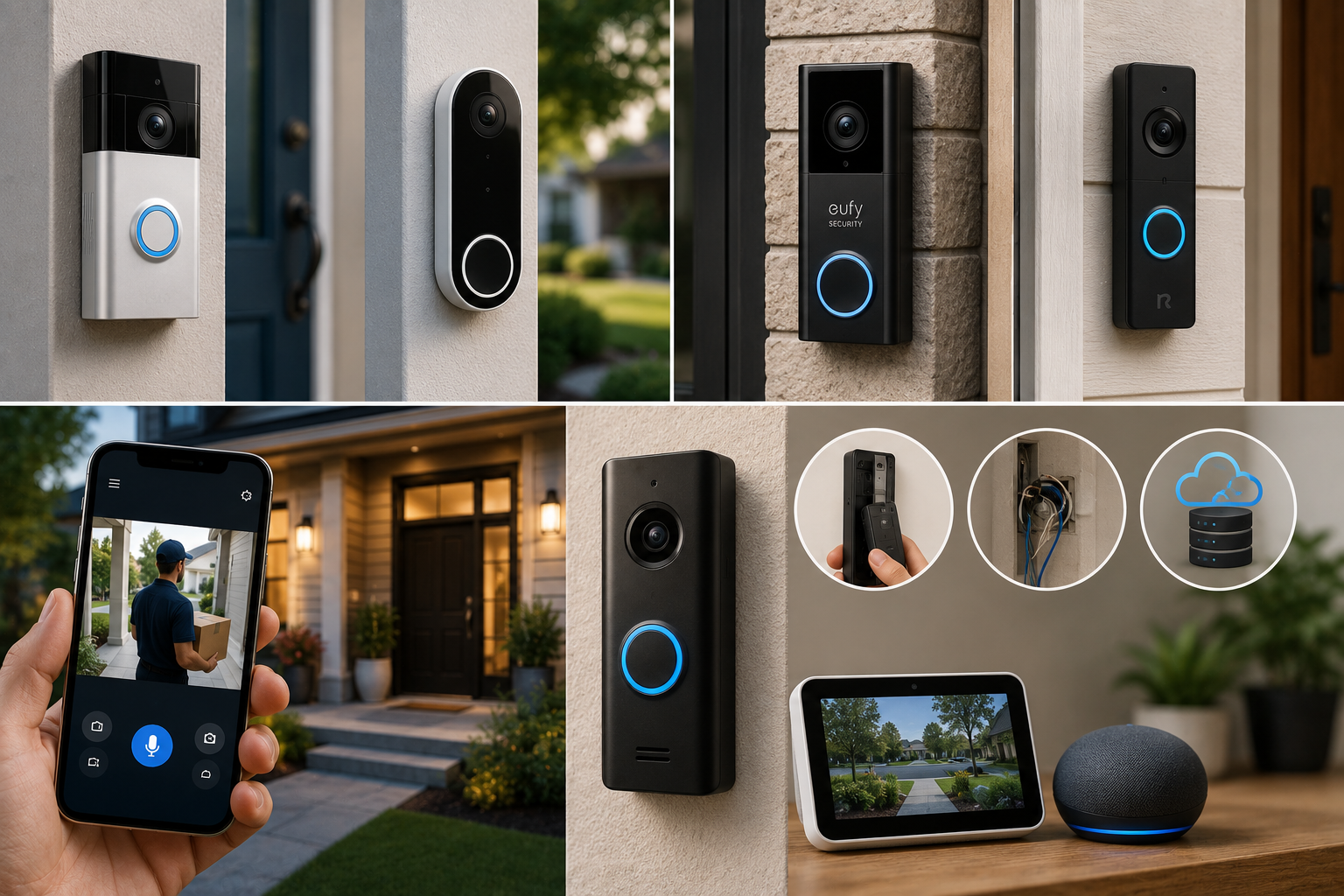
A video doorbell might be the single highest-value security upgrade you can make to your home, it watches your front door around the clock, alerts you the instant someone approaches, and often deters package theft and porch pirates just by being visibly present. But choosing the best video doorbells means working through a handful of genuinely important decisions first, wired versus battery, subscription versus free local storage, and which smart home ecosystem you’re actually locked into, decisions that matter far more to your day-to-day experience than which brand name is on the box.
This guide breaks down exactly how these systems differ, which specific models stand out for different priorities, and the practical installation and compatibility details most buyers don’t think about until after they’ve already bought the wrong one.
Video Doorbells for Home Security
If your home already has existing doorbell wiring, a wired doorbell is almost always the better choice, no recharging, no dead battery on the one day you actually need it, and continuous, always-on recording. The Ring Video Doorbell Pro 2 is widely regarded as the strongest overall pick for wired installations, offering sharp head-to-toe video and radar-based motion detection that dramatically cuts false alerts from passing cars. If you’re renting, lack existing wiring, or want maximum placement flexibility, a battery-powered model like the Ring Battery Plus, Nest Doorbell Battery, or Eufy’s battery lineup installs in about 15 minutes with no wiring at all. And if a recurring monthly fee is a dealbreaker, Eufy and Reolink stand out as the two brands offering genuinely free local video storage, no subscription required.
Wired vs Battery: The First Decision That Shapes Everything Else
Why Wired Wins When You Have the Option
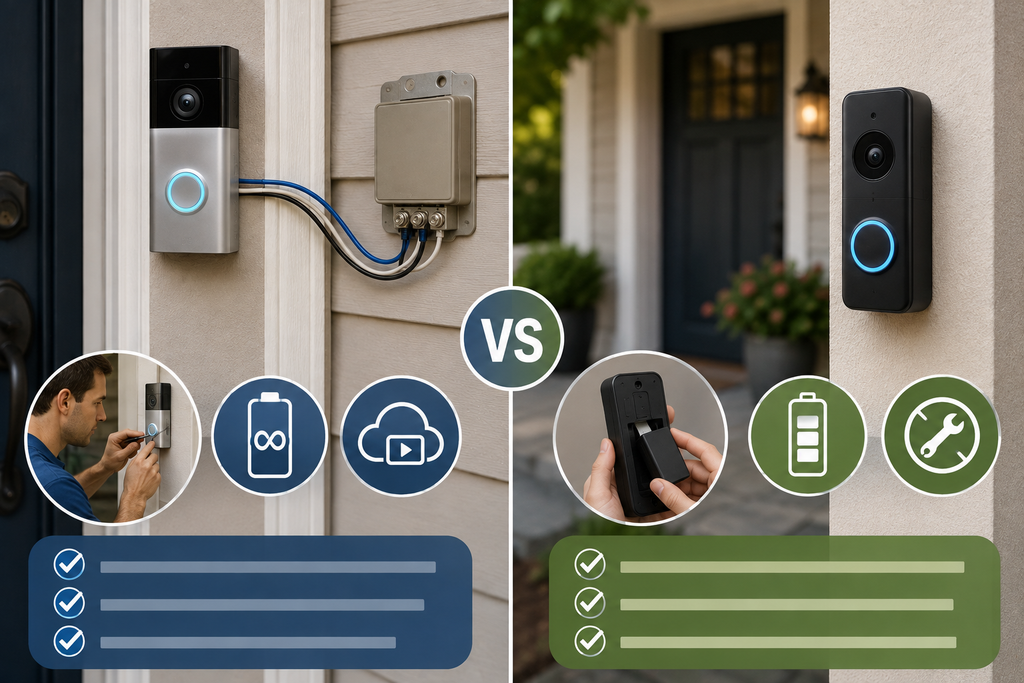
A wired video doorbell draws continuous power from your home’s existing doorbell wiring, meaning it’s always on, always recording, with no charging cycles and no risk of a dead battery at exactly the wrong moment. For a primary entrance where reliable, continuous coverage matters most, wired consistently outperforms battery.
When Battery Makes More Sense
Battery-powered doorbells install without any wiring at all, using adhesive strips or screws, making them the practical choice for renters, older homes without existing doorbell wiring, gate posts, or any location where running a wire would be complicated or expensive. The trade-off is real: battery models typically throttle certain features to conserve power, meaning shorter motion clips and more limited pre-roll recording compared to their wired counterparts.
How Long Do Battery Doorbells Actually Last?
Battery life varies considerably based on how much foot and vehicle traffic your doorbell detects, generally running anywhere from two to six months per charge, though some models are rated for significantly longer under lighter use. If your front door sees five or more visitors a day, delivery drivers, kids, neighbors, expect battery life toward the lower end of the advertised range rather than the maximum.
Wired vs Battery Comparison
| Factor | Wired Doorbell | Battery Doorbell |
| Power source | Continuous, always on | Rechargeable, needs periodic charging |
| Installation | Requires existing doorbell wiring | No wiring needed, adhesive or screws |
| Setup time | Can exceed 60 minutes if transformer needs upgrading | Typically under 15 minutes |
| Reliability | No charging gaps, always recording | Risk of dead battery during high-activity periods |
| Best for | Primary entrances, homeowners | Renters, older homes, flexible placement |
| Feature limits | Full-length clips, longer pre-roll | Shorter clips and pre-roll to save power |
The Subscription Question: What You’re Really Paying For
Why Most Doorbells Lock Video Behind a Monthly Fee
Live view and basic motion alerts are generally free across most brands, but reviewing recorded footage later, what happened at your door at 2 a.m. last Tuesday, typically requires a paid cloud subscription. Ring Protect, Nest Aware, and Arlo Secure all charge somewhere in the range of $5 to $25 per month depending on the plan tier and number of devices.
The Two Brands That Break the Subscription Model
Eufy and Reolink stand apart specifically because they store video locally, on a HomeBase hub, an internal SD card, or a local network video recorder, rather than requiring cloud storage. This means no mandatory monthly fee for basic video history, a genuinely different value proposition if a recurring subscription is a dealbreaker for your household.
Doing the Real Math on Long-Term Cost
It’s worth running the numbers over a few years rather than just comparing upfront price. A subscription-free model with local storage can end up costing meaningfully less over a three-year period than a comparable subscription-based doorbell, even if the subscription-based model had a lower sticker price at checkout.
Smart Home Compatibility: Check Before You Buy, Not After
Ring: Built for Amazon’s Ecosystem
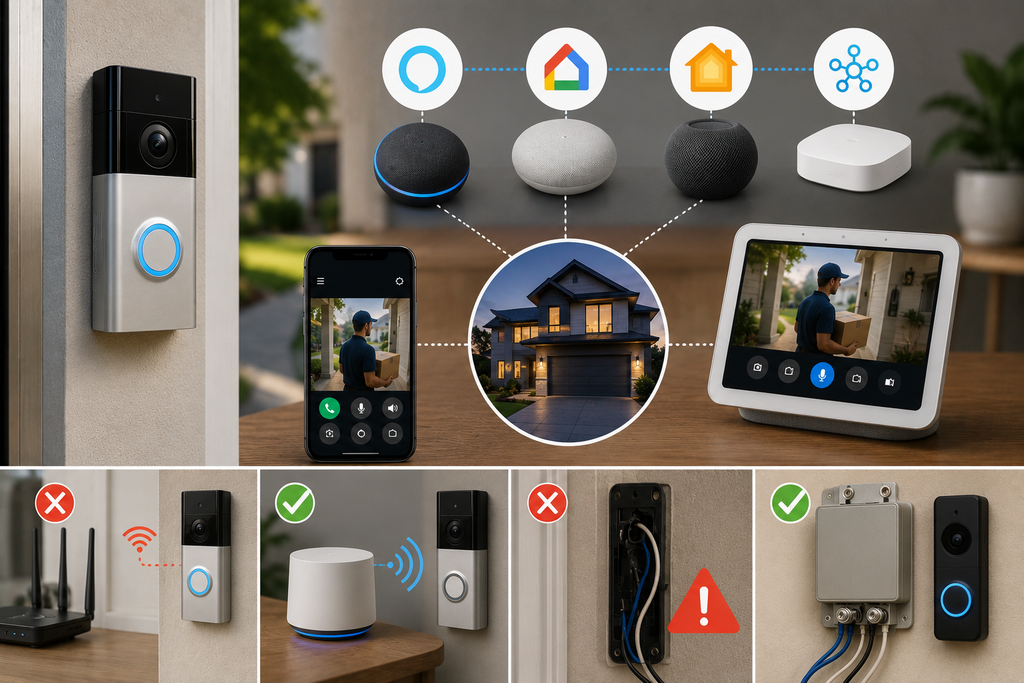
Ring doorbells integrate deeply with Alexa and Amazon’s broader smart home lineup, but notably do not support Apple HomeKit at any tier, worth knowing upfront if your household already relies heavily on Apple devices.
Nest: Built for Google Home
Similarly, Google’s Nest doorbells are designed around Google Home integration and, like Ring, don’t offer native Apple HomeKit support.
Options for Apple HomeKit Households
If your household is built around Apple devices, the Aqara G4 stands out as a video doorbell with native HomeKit Secure Video support and Apple Home Key compatibility, while the Arlo 2K also offers HomeKit support on the camera side, making it a reasonable middle-ground option.
Why This Matters More Than Most Buyers Realize
Choosing a doorbell that doesn’t match your existing smart home ecosystem means either living without unified voice control and automation, or maintaining a separate app just for your doorbell, a genuinely annoying daily inconvenience that’s entirely avoidable by checking compatibility before purchase rather than after.
Key Features Worth Comparing Beyond the Basics
Motion Detection Quality
Basic person detection has become standard across nearly every current doorbell, but the quality of that detection varies considerably. Radar-based 3D motion detection, rather than simple passive infrared, creates a more precise picture of your porch and yard, letting you draw motion zones that ignore the street and passing cars, dramatically cutting the false alerts that plague many older or budget doorbell models.
Pre-Roll Recording
Pre-roll captures a few seconds of video immediately before a motion trigger actually fires, meaning you see what happened right up to the moment someone stepped into frame, not just after. This feature is more commonly available and full-length on wired models, given their unrestricted power supply.
Field of View and Video Resolution
Look for doorbells offering “head-to-toe” framing, typically requiring a wider vertical field of view than older, narrower doorbell cameras provided, so you can actually see a visitor’s full body and any packages at their feet, not just a cropped view of their face.
Package Detection
Increasingly common across mid-range and premium models, package detection specifically identifies when a delivered item is sitting on your porch, sending a distinct alert separate from general motion notifications, useful for households dealing with frequent deliveries or porch theft concerns.
Standout Options by Priority
| Priority | Recommended Type |
| Best overall (if wired is possible) | Wired doorbell with radar-based 3D motion detection |
| No existing wiring/renting | Quality battery-powered doorbell with adhesive or screw mount |
| Avoiding monthly subscriptions | Local-storage model (Eufy or Reolink) |
| Google Home households | Nest-compatible doorbell |
| Apple HomeKit households | HomeKit-native or HomeKit-compatible doorbell |
| Budget-conscious buyers | Entry-level battery model under roughly $90–$100 |
Installation: What to Actually Expect
Wired Installation Realities
If you already have functioning doorbell wiring and adequate transformer voltage (typically in the 16 to 24V range), wired installation is usually straightforward. If your existing transformer is undersized for a newer, more power-hungry doorbell, installation can stretch well past an hour and may require an electrician to upgrade the transformer.
Battery Installation Realities
Battery doorbells generally mount with adhesive strips or wood screws and can be removed cleanly without any drilling into masonry, a genuine advantage for renters who need to take the device with them at lease end.
When to Call a Professional
If your home lacks existing doorbell wiring entirely and you specifically want a wired installation for its reliability advantages, running new wire is a job better suited to a licensed electrician or professional installer rather than a DIY attempt, both for safety and to avoid damaging your home’s exterior.
Privacy and Security Considerations
Cloud Storage vs Local Storage Trade-Offs
Cloud-stored video offers the convenience of remote access and off-site backup even if the physical doorbell is stolen or damaged, while locally stored video keeps your footage entirely within your own home network, appealing to privacy-conscious buyers who prefer not to have footage stored on a third-party company’s servers.
Anti-Theft Considerations
Doorbell theft is a real concern, particularly for battery models mounted with simple adhesive. Look for models offering tamper alerts and anti-theft mounting hardware, and consider that models with local storage can still preserve footage of the theft itself, since the clip often saves or uploads before the camera is actually removed.
Practical Buying Tips
- Check your home’s existing wiring and transformer capacity before committing to a wired model, to avoid a surprise installation cost
- Confirm smart home ecosystem compatibility (Alexa, Google Home, or Apple HomeKit) before purchasing, not after
- Calculate the real three-year cost of subscription-based models against local-storage alternatives before deciding based on upfront price alone
- Prioritize radar-based or advanced motion detection if false alerts from passing cars or street traffic are a concern
- Choose anti-theft mounting hardware for battery models installed in an exposed or high-visibility location
Common Mistakes to Avoid
- Choosing a battery model without checking realistic battery life for your actual traffic volume, then facing frequent, inconvenient recharging
- Buying a doorbell incompatible with your existing smart home ecosystem, ending up stuck with a separate, disconnected app
- Ignoring subscription costs until after purchase, then discovering video history requires an unexpected recurring fee
- Installing a wired doorbell without confirming transformer voltage, risking a longer, more complicated installation than expected
- Overlooking anti-theft mounting options in exposed installation locations, leaving a battery-powered doorbell vulnerable to simple theft
Conclusion
Finding the best video doorbells for your home comes down to matching wired versus battery installation to your home’s actual wiring situation, confirming smart home compatibility before you buy rather than after, and deciding honestly whether a monthly subscription fits your budget or whether a local-storage model like Eufy or Reolink better suits your priorities. Whichever specific model you choose, prioritizing reliable motion detection, adequate video resolution, and the right power setup for your entryway will do more for your home’s actual security than any single brand name ever could.
Frequently Asked Questions
1- Is a wired or battery video doorbell better?
Wired is generally better if you have existing doorbell wiring, offering continuous power and no charging gaps. Battery models offer more installation flexibility and work well for renters or homes without existing wiring.
2- How long does a battery-powered video doorbell last on a single charge?
This varies by model and household traffic, but most battery doorbells last two to six months per charge under typical use, with high-traffic entrances draining the battery faster than the advertised range suggests.
3- Do all video doorbells require a monthly subscription?
No. While most major brands lock extended video history behind a paid cloud plan, Eufy and Reolink offer local storage options with no required subscription for basic video recording.
4- Which video doorbells work with Apple HomeKit?
Ring and Nest don’t currently support Apple HomeKit at any tier. The Aqara G4 offers native HomeKit Secure Video support, while the Arlo 2K provides HomeKit compatibility on the camera side.
5- What is pre-roll, and why does it matter?
Pre-roll captures a few seconds of video immediately before a motion event triggers the doorbell, letting you see what happened leading up to the moment someone appeared, rather than only footage starting after the trigger.
6- Can I install a video doorbell myself?
Battery models are generally simple, straightforward DIY installations. Wired models are also often DIY-friendly if your existing wiring and transformer are compatible, though undersized transformers or homes without any existing wiring may require a professional electrician.
7- Is local storage safer than cloud storage for video doorbells?
Neither is universally safer, they involve different trade-offs. Local storage keeps footage entirely on your own network with no monthly fee, while cloud storage offers remote access and preserves footage even if the physical device is stolen or damaged.