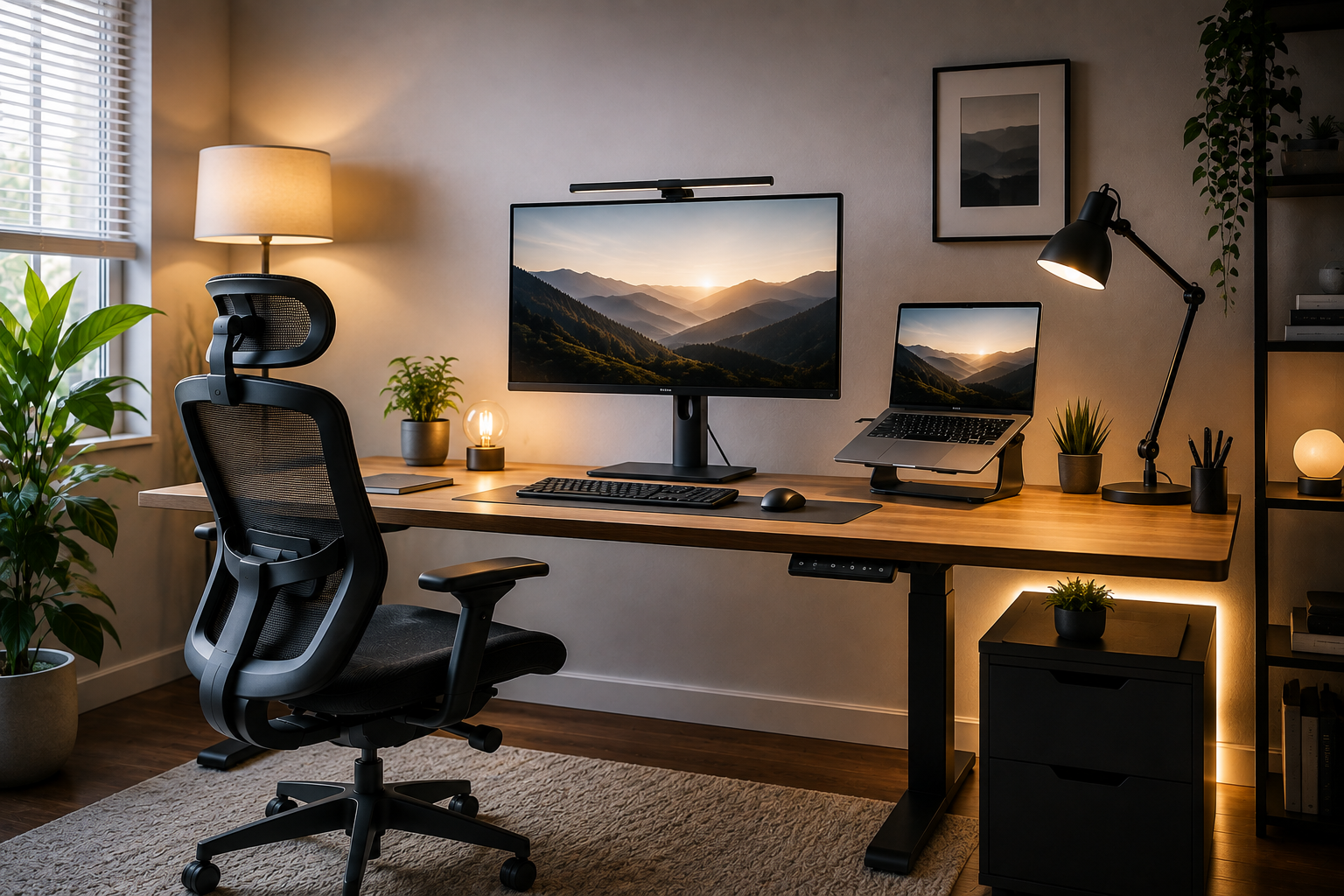
If your eyes feel tired by mid-afternoon, or your video calls always look dim and flat, the problem probably isn’t your monitor or your webcam it’s your lighting. Home office lighting is one of the most overlooked parts of a workspace setup, yet it directly affects your focus, comfort, and how tired your eyes feel by the end of the day.
A well-lit home office needs three layered types of light ambient (general room light), task lighting (focused on your work surface), and accent lighting (softening harsh contrast) combined with a color temperature around 4000K to 5000K during work hours. Position your desk so windows sit to the side, not behind or directly in front of you, and avoid working under a single harsh overhead light.
This guide breaks down exactly how to build that lighting setup, what to look for in a desk lamp, and how to fix the most common lighting mistakes that quietly cause eye strain and fatigue.
Why Lighting Affects More Than Just Visibility
Lighting isn’t just about being able to see your screen — it directly impacts your eye comfort, energy levels, and even your mood throughout the workday. Poor lighting is one of the most common contributors to digital eye strain, which can show up as:
- Tired, dry, or burning eyes
- Headaches by the afternoon
- Blurred vision after short periods of screen time
- Neck or shoulder tension from leaning toward the screen to see better
The good news is that most of these issues come down to a handful of fixable lighting problems — not expensive equipment.
The Three Layers of Good Home Office Lighting
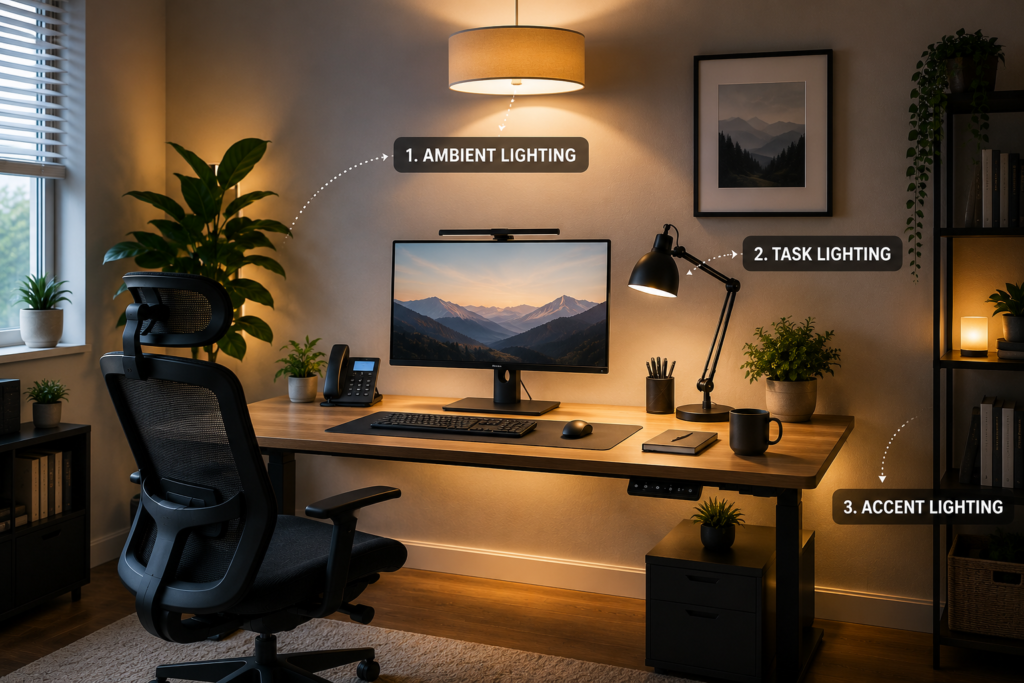
Professional lighting design generally relies on three layers working together. Skipping any one of them is usually what causes eye strain, even in a room that seems “bright enough.”
1. Ambient Lighting (General Room Light)
This is your baseline lighting the overall brightness of the room from ceiling fixtures, floor lamps, or natural light. Ambient lighting should be bright enough that your monitor doesn’t feel like a spotlight in a dark room, which is a major cause of eye strain.
General guideline: Aim for roughly 300 to 500 lux of ambient light in your workspace.
2. Task Lighting (Focused Light for Your Work Surface)
Task lighting is a dedicated, adjustable light source — typically a desk lamp — aimed directly at your keyboard, documents, or work surface. It should be brighter than your ambient lighting but never point directly at your screen, since that creates glare.
General guideline: Task lighting typically ranges from 500 to 1000 lux, depending on the detail level of your work.
3. Accent Lighting (Softening Contrast)
Accent lighting fills in the darker corners of the room, softening the contrast between your bright task area and the rest of the space. Without it, your eyes are constantly readjusting between a bright desk and a dim room, which speeds up fatigue.
Simple accent options: A small lamp in a corner, indirect LED strip lighting, or a secondary soft-light fixture placed away from your main work area.
Getting Color Temperature Right
Color temperature is measured in Kelvin (K) and describes whether a light looks warm (yellowish) or cool (bluish-white). It has a real impact on alertness, comfort, and how your eyes handle extended screen time.
| Color Temperature | Appearance | Best Use |
| 2700K–3000K | Warm white | Evening work, relaxing spaces |
| 3500K–4000K | Neutral white | Balanced daytime work |
| 4000K–5000K | Cool white/daylight | Peak focus hours, detailed tasks |
| 5000K–6500K | Bright daylight | Short bursts of high-focus work |
A Simple Rule of Thumb
- During main work hours: Use a neutral-to-cool white in the 4000K–5000K range to support alertness and focus.
- In the evening: Shift to a warmer light around 2700K–3000K to ease eye strain and reduce blue light exposure closer to bedtime.
If your lamp or bulbs support adjustable color temperature, this transition can happen automatically or with a simple switch — no need to buy separate fixtures for day and night.
Avoid Mixing Color Temperatures
One common mistake is combining a cool overhead light (like 6500K) with a warm desk lamp (like 2700K) in the same room. This mismatch creates visual conflict that your eyes have to constantly adjust to, which can add to fatigue rather than reduce it. Try to keep your primary light sources within a similar color range.
Natural Light: How to Use It Without Creating Glare
Natural light is genuinely valuable for mood, alertness, and overall wellbeing — but positioned incorrectly, it becomes one of the biggest sources of screen glare and eye strain.
The Right Way to Position Your Desk
- Place your desk perpendicular to windows, not facing them or with your back to them.
- Never sit with a window directly behind your monitor — this creates strong backlighting that washes out your screen and forces your eyes to overcompensate.
- Avoid sitting with a bright window directly behind you, since this creates harsh silhouette lighting during video calls and glare on the screen for anyone facing you.
Managing Natural Light Throughout the Day
- Use sheer curtains or blinds to soften direct sunlight without blocking it completely.
- Adjust artificial lighting as natural light changes throughout the day, rather than relying on one fixed setup.
- If glare is unavoidable at certain times of day, an adjustable blind or matte anti-glare screen filter can help.
Choosing the Right Desk Lamp
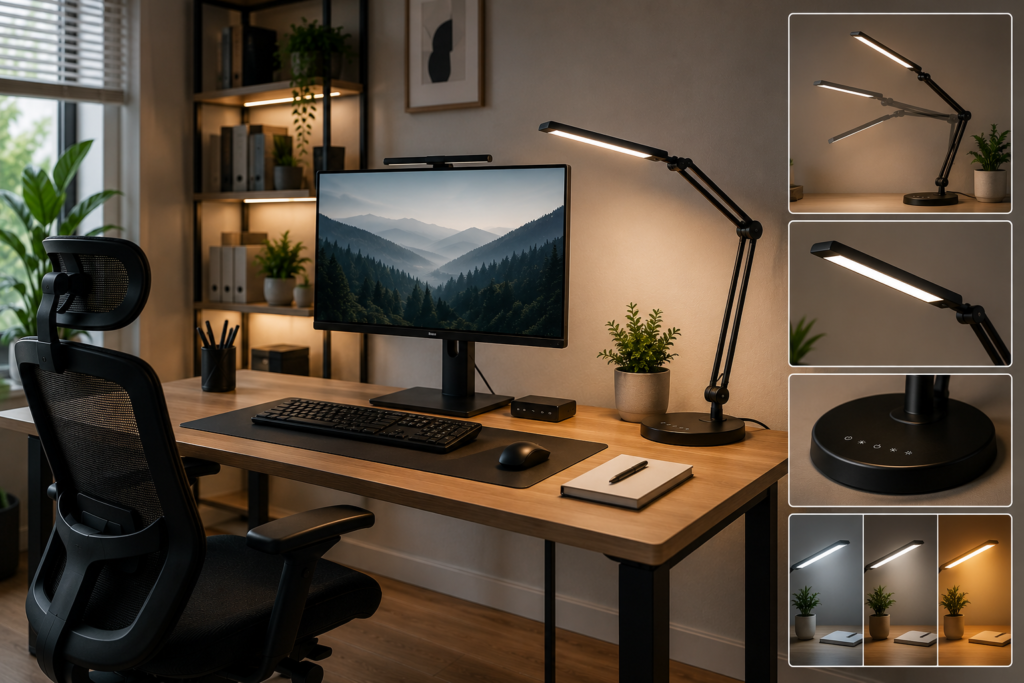
A dedicated task lamp is one of the most impactful (and affordable) upgrades you can make to a home office.
What to Look For
- Adjustable brightness (dimmable). Lighting needs change throughout the day, so a fixed-brightness lamp is far less flexible.
- Adjustable color temperature. Lamps that shift between warm and cool white let you match lighting to the time of day without buying multiple fixtures.
- Flicker-free operation. Cheaper LED lamps can flicker in a way that’s not always visible to the eye but can still contribute to headaches and eye strain over time.
- Adjustable arm or head. The ability to angle the lamp helps direct light exactly where you need it without shining into your eyes or onto your screen.
- A high Color Rendering Index (CRI). A CRI of 90 or higher means colors and details appear more accurate and natural under the light, which is especially useful for detailed or visual work.
Positioning Your Desk Lamp
- Place it to the side of your dominant hand to avoid casting a shadow over your work as you write or type.
- Angle it toward your work surface, not toward your monitor or your face.
- Avoid placing it directly behind your screen, where it can create glare or reflection.
Common Home Office Lighting Mistakes to Avoid
- Relying on a single overhead light. This creates flat, shadowy lighting and forces your eyes to work harder to distinguish detail.
- Sitting with a window directly behind your monitor. This creates screen glare and poor video call lighting simultaneously.
- Using mismatched color temperatures across fixtures. This creates visual inconsistency that adds to eye fatigue.
- Working in a dim room with only a bright screen for light. The extreme contrast between a bright monitor and a dark room is one of the most common causes of digital eye strain.
- Ignoring flicker in cheap LED bulbs. Even flicker you can’t consciously see can still contribute to headaches over long work sessions.
- Skipping accent lighting entirely. Task lighting alone, without any softening light nearby, can feel harsh over long periods.
Lighting for Video Calls: A Quick Add-On Consideration
Since so much home office work now includes video calls, it’s worth setting up lighting that works for both focused work and how you appear on camera.
- Face a light source, don’t have one behind you. A window or lamp behind you creates a silhouette effect.
- Use soft, diffused light rather than a single harsh source. A lamp with a diffuser or shade spreads light more evenly across your face.
- Avoid overhead-only lighting for calls, since it can cast shadows under your eyes and chin.
- A small ring light or desk-mounted light bar is an affordable, simple addition if you’re on video calls frequently.
Practical Buying and Setup Advice
- Start with your desk position, not your light fixtures. Fix window placement issues first no lamp fully compensates for a poorly positioned desk.
- Layer your lighting rather than relying on one bright source. Ambient, task, and accent lighting together reduce eye strain far more effectively than one powerful lamp alone.
- Choose adjustable color temperature over a fixed bulb if you work varied hours, since it lets your lighting adapt to the time of day.
- Invest in one good task lamp before adding decorative lighting it has the biggest direct impact on comfort and eye strain.
- Test your setup at different times of day. Lighting that feels fine at noon can feel harsh or dim by evening, especially with natural light changes.
- Use a basic light meter or smartphone app if you want to measure actual lux levels rather than guessing.
Good Lighting Is a Workspace Upgrade, Not an Afterthought
Lighting is easy to overlook when setting up a home office, but it has a direct, daily impact on how your eyes feel, how focused you stay, and even how you come across on video calls. The fix doesn’t require an expensive redesign it just requires layering ambient, task, and accent lighting thoughtfully, choosing the right color temperature for the time of day, and positioning your desk to work with natural light instead of against it.
Take a look at your current setup with fresh eyes: where is your light coming from, and where are the shadows and glare hiding? A few adjustments a better desk lamp, a repositioned window, a warmer bulb in the evening can make a noticeably bigger difference in your daily comfort than most people expect.
FAQ
1- What’s the best color temperature for a home office?
A neutral-to-cool white in the 4000K to 5000K range works well for most daytime work, supporting focus and alertness. Switching to a warmer 2700K to 3000K light in the evening helps ease eye strain and reduce blue light exposure closer to bedtime.
2- How bright should my home office be?
General ambient lighting around 300 to 500 lux is a reasonable target for most computer-based work, with task lighting adding extra brightness (roughly 500 to 1000 lux) directly on your work surface.
3- Should I put my desk facing a window?
No — facing a window directly can cause screen glare, and sitting with your back to a window creates backlighting that washes out your monitor. Positioning your desk perpendicular to windows is generally the better setup.
4- Do I really need a separate desk lamp if my room has ceiling lights?
Yes, in most cases. Ceiling lights alone often create flat, shadowed lighting on your actual work surface. A dedicated task lamp gives you focused, adjustable light exactly where you need it.
5- Can bad lighting really cause headaches?
Yes. Poor lighting including flicker, glare, and high contrast between a bright screen and a dark room is a well-documented contributor to digital eye strain, which can include headaches, blurred vision, and eye fatigue.
6- Is natural light better than artificial light for a home office?
Natural light offers real benefits for mood and alertness, but it needs to be positioned correctly to avoid glare. The best setups combine natural light with adjustable artificial lighting to maintain consistent brightness throughout the day.