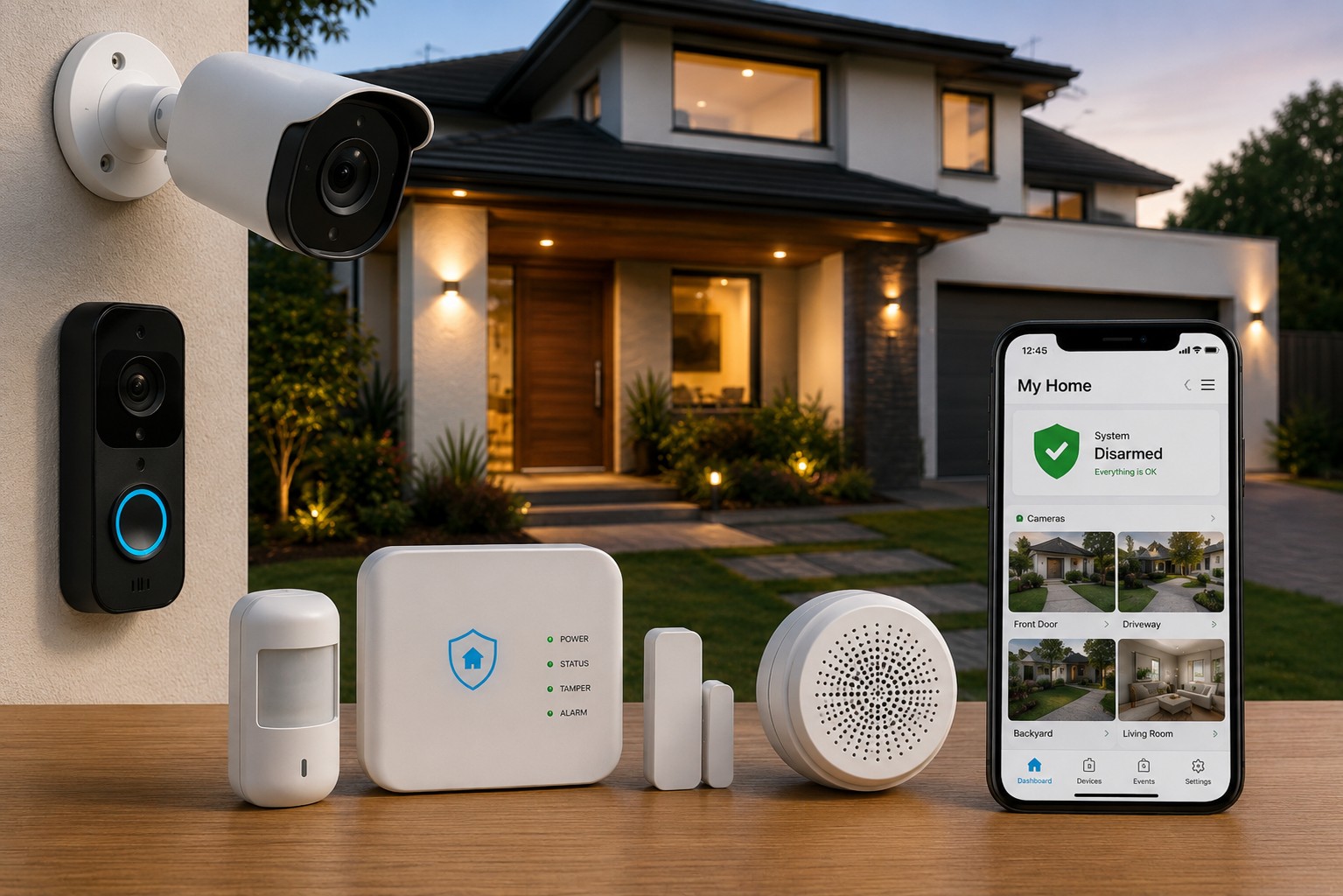
Your home is one of your biggest investments, and keeping it safe is a top priority. Whether you own a house or have recently moved into a new property, investing in the right home security system can provide peace of mind while helping protect your family and belongings. Today, homeowners have more options than ever before, from traditional alarm systems to smart home security devices that can be monitored from a smartphone.
Choosing a security system can feel overwhelming because there are many products, features, and technologies available. Security cameras, motion sensors, smart locks, video doorbells, and professional monitoring services all play different roles in protecting your property. Understanding how these components work together helps you select a system that fits your home’s size, lifestyle, and budget.
The best home security solution is one that addresses your specific needs rather than including every available feature. Some homeowners prioritize outdoor surveillance, while others focus on smart automation or remote monitoring. By learning the basics before you shop, you can make a confident decision that improves both convenience and security.
This guide explains everything homeowners should know before buying a home security system, including the different types of equipment, essential features, installation options, and practical buying tips.
Why Home Security Matters
A well-designed home security system does more than deter unwanted visitors. It also helps homeowners monitor their property, receive alerts, and respond quickly to unusual activity.
A quality system can help you:
- Monitor your home remotely
- Improve family safety
- Protect valuable belongings
- Receive alerts when activity is detected
- Check on deliveries and visitors
- Monitor pets while away
- Increase peace of mind
The right setup provides everyday convenience while supporting overall home security.
Assess Your Home Security Needs
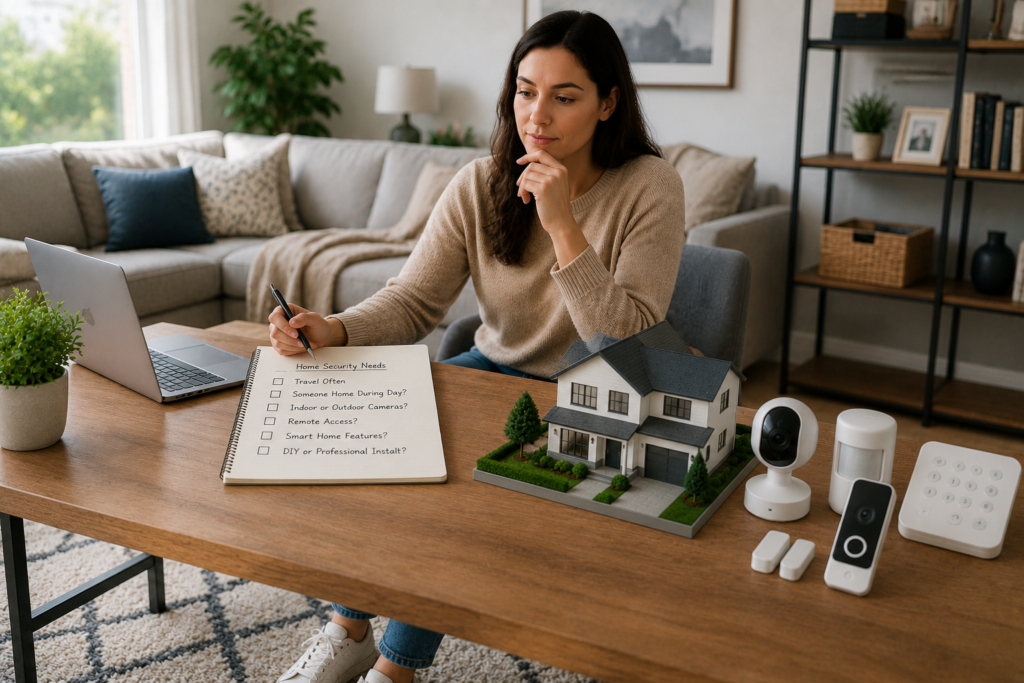
Before shopping, think about what you want your security system to accomplish.
Ask yourself:
- Do you travel frequently?
- Is someone usually home during the day?
- Do you want indoor, outdoor, or both types of cameras?
- Would remote smartphone access be useful?
- Are smart home features important?
- Do you prefer professional installation or a DIY setup?
Answering these questions helps narrow your choices before comparing products.
Main Types of Home Security Systems
Home security systems generally fall into three categories.
| System Type | Best For | Advantages |
| DIY Home Security | Budget-conscious homeowners | Easy installation and flexibility |
| Professionally Installed Systems | Larger homes | Expert setup and support |
| Smart Home Security Systems | Connected homes | Remote monitoring and automation |
Each option has advantages depending on your budget, technical comfort level, and desired features.
DIY Home Security Systems
DIY systems allow homeowners to install equipment without professional assistance.
Benefits include:
- Lower upfront costs
- Flexible placement
- Easy expansion
- Simple installation
- No major home modifications
Many modern DIY systems use wireless devices that connect through a mobile app.
Professionally Installed Systems
Professional installation may be suitable for larger homes or more complex security needs.
Advantages include:
- Expert equipment placement
- Professional system configuration
- Technical support
- Assistance with setup
Some professionally installed systems also offer optional monitoring services.
Smart Home Security Systems
Smart home security integrates multiple devices into one connected system.
Common components include:
- Smart security cameras
- Smart locks
- Video doorbells
- Motion sensors
- Window sensors
- Mobile app controls
Many systems allow homeowners to monitor and manage devices remotely using a smartphone or tablet.
Essential Home Security Components
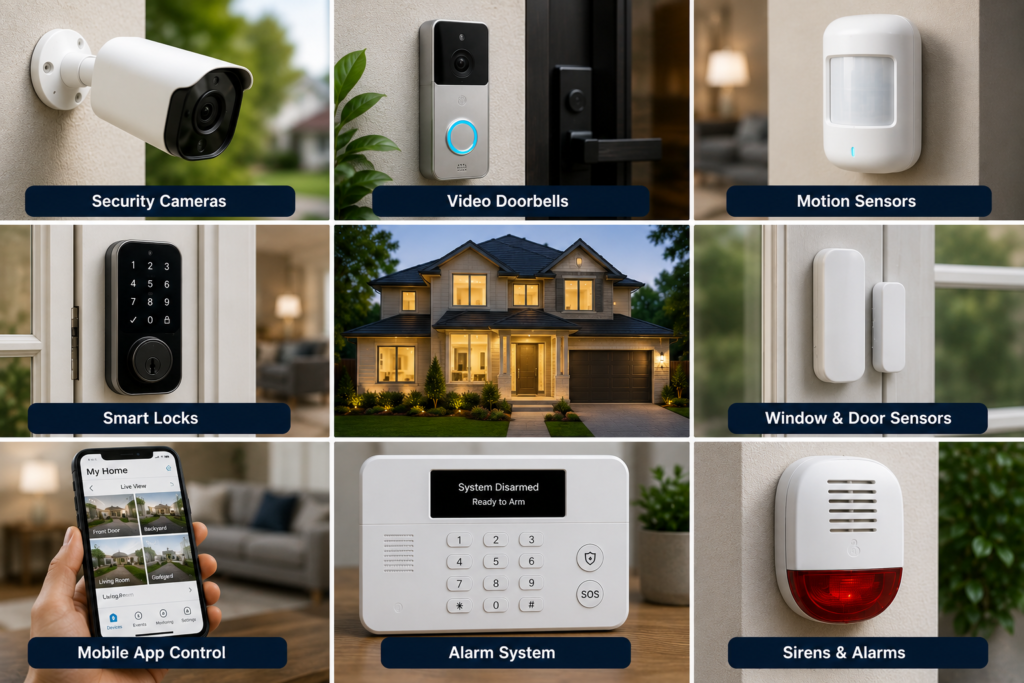
Understanding each component helps you choose the right combination of devices.
Security Cameras
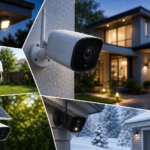
Security cameras are often the centerpiece of a modern home security system.
They allow homeowners to:
- View live video
- Record activity
- Monitor entrances
- Check outdoor spaces
- Receive motion alerts
Both indoor and outdoor cameras are available depending on your security needs. If you’re comparing outdoor options, see our guide to Best Outdoor Security Cameras for more information on weather resistance, power options, night vision, and coverage.
Video Doorbells
Video doorbells help homeowners see who is at the front door without opening it.
Many models include:
- Live video
- Two-way audio
- Motion detection
- Smartphone notifications
They can also help monitor package deliveries and visitors.
Motion Sensors
Motion sensors detect movement inside designated areas.
They’re commonly installed in:
- Hallways
- Living rooms
- Entryways
- Garages
Motion detection can trigger alerts or activate cameras when movement is detected.
Door and Window Sensors
These sensors notify homeowners when doors or windows are opened.
They are commonly placed on:
- Front doors
- Back doors
- Sliding patio doors
- Ground-floor windows
Door and window sensors provide an additional layer of protection.
Smart Locks
Smart locks replace or enhance traditional locks with electronic controls.
Features may include:
- Keyless entry
- Temporary access codes
- Remote locking
- Smartphone control
Smart locks are especially convenient for families, guests, or service providers.
Wired vs. Wireless Security Systems
One of the first decisions homeowners make is whether to choose wired or wireless equipment.
| Feature | Wired | Wireless |
| Installation | More complex | Easier |
| Flexibility | Limited | High |
| Expansion | More difficult | Easier |
| Appearance | Hidden wiring | Minimal wiring |
| Maintenance | Less battery maintenance | Batteries may require replacement |
Wireless systems are popular because they are generally easier to install and expand.
Indoor vs. Outdoor Cameras
Different locations require different types of cameras.
Indoor Cameras
Indoor cameras help monitor:
- Living areas
- Nurseries
- Hallways
- Pets
Many include two-way audio for communicating with family members.
Outdoor Cameras
Outdoor cameras are designed to withstand weather conditions.
They often include:
- Night vision
- Motion detection
- Weather-resistant housing
- Wide viewing angles
Proper placement helps maximize coverage around your property.
Important Features to Consider
Not every homeowner needs every feature.
Focus on the options that match your priorities.
Mobile App Access
Many modern systems include smartphone apps that allow you to:
- View live camera feeds
- Receive alerts
- Arm or disarm the system
- Review recorded footage
Remote access is one of the most popular smart home features.
Motion Detection
Motion detection allows cameras and sensors to notify you when activity occurs.
Some systems allow you to customize:
- Detection zones
- Sensitivity levels
- Alert schedules
These adjustments can help reduce unnecessary notifications.
Night Vision
Night vision improves visibility in low-light conditions.
Outdoor cameras with this feature continue monitoring after sunset without requiring additional lighting.
Two-Way Audio
Two-way audio lets you communicate through compatible devices.
This feature is commonly available on:
- Video doorbells
- Indoor cameras
- Outdoor cameras
It can be useful for speaking with visitors or delivery drivers.
Video Storage Options
Security footage is generally stored using one or both of these methods:
- Cloud storage
- Local storage using memory cards or compatible storage devices
Storage options vary by manufacturer, so review product specifications before purchasing.
Professional Monitoring vs. Self-Monitoring
Many home security systems allow homeowners to choose between professional monitoring and self-monitoring. Understanding the differences helps you select the option that best fits your lifestyle.
Professional Monitoring
With professional monitoring, a dedicated monitoring center receives alerts from your security system and follows established response procedures when an alarm is triggered.
Potential advantages include:
- Continuous monitoring
- Assistance during emergencies
- Support even when you’re away
- Reduced need to monitor alerts yourself
Professional monitoring plans typically involve ongoing subscription fees, so review the pricing and service terms before enrolling.
Self-Monitoring
Self-monitoring allows homeowners to receive alerts directly through a smartphone app.
Benefits include:
- No ongoing monitoring contract in many cases
- Full control over notifications
- Immediate access to live camera feeds
- Flexibility to respond based on the situation
Self-monitoring works well for homeowners who frequently check their mobile devices and want to manage their own security system.
Where to Place Security Devices
Even the best equipment performs poorly if it is installed in the wrong location.
Front Door
The main entrance is one of the most important areas to monitor.
Consider installing:
- Video doorbell
- Motion sensor
- Door sensor
This combination helps you monitor visitors, package deliveries, and entry activity.
Back Door
Back entrances often receive less visibility than front doors.
Install:
- Outdoor security camera
- Door sensor
- Motion lighting if appropriate
Garage
Garages often contain valuable tools, equipment, and vehicles.
Helpful devices include:
- Garage door sensor
- Indoor camera
- Motion detector
Driveway
A driveway camera can help monitor:
- Vehicle activity
- Visitors
- Deliveries
- General movement near your property
Choose a weather-resistant camera with a wide viewing angle.
Backyard
Backyards can include multiple access points.
Outdoor cameras positioned to monitor gates, patios, or fences may improve overall coverage while respecting neighbors’ privacy.
Smart Home Integration
Many modern security systems work alongside other smart home devices.
Compatible products may include:
- Smart lighting
- Smart locks
- Smart thermostats
- Voice assistants
- Smart garage door openers
Integration allows homeowners to manage multiple devices through one mobile app or compatible smart home platform.
Consider Privacy Features
Security devices collect video and other data, so privacy is an important consideration. Homeowners should also understand the security and privacy risks associated with connected smart-home devices. The National Institute of Standards and Technology (NIST) provides guidance and research on consumer IoT security and privacy.
Before purchasing, review whether the system offers:
- Account security features such as two-factor authentication
- Encrypted data transmission where available
- User permission controls
- Privacy settings for cameras and recordings
Taking time to configure these settings helps protect your personal information.
Power and Internet Considerations
Most smart security systems rely on electricity and internet connectivity.
Before buying, think about:
- Wi-Fi signal strength throughout your home
- Access to electrical outlets where needed
- Battery replacement schedules for wireless devices
- Backup power options if available from the manufacturer
Planning ahead helps ensure your security devices operate reliably.
Budget Considerations
Home security systems are available across a wide range of price points.
When comparing options, consider the total cost of ownership, including:
- Equipment
- Installation, if applicable
- Optional monitoring subscriptions
- Cloud storage plans
- Additional accessories
- Future expansion
The best system is one that provides the features you need without paying for equipment you are unlikely to use.
Accessories That Can Improve Home Security
Many homeowners expand their systems over time.
Popular accessories include:
| Accessory | Purpose |
| Extra security cameras | Expand property coverage |
| Window sensors | Monitor additional windows |
| Motion sensors | Detect indoor movement |
| Smart lighting | Improve visibility around entry points |
| Yard signs | Indicate the presence of a security system |
| Keypads | Convenient system control |
| Indoor sirens | Audible alerts inside the home |
| Water leak sensors | Detect plumbing leaks |
| Smoke and carbon monoxide detectors | Additional household safety |
| Smart plugs | Integrate with home automation routines |
Adding accessories gradually allows you to customize your security system as your needs change.
Common Home Security Buying Mistakes
Avoid these common mistakes when selecting a home security system.
Buying More Equipment Than You Need
A larger system is not always better.
Focus on protecting your home’s main entry points first, then expand if necessary.
Ignoring Future Expansion
Choose a system that allows additional devices to be added later if your needs change.
Overlooking Mobile App Features
The mobile app is often the primary way you’ll interact with your system.
Review its features and compatibility before purchasing.
Poor Camera Placement
Avoid positioning cameras where trees, walls, or bright lights block the view.
Plan coverage carefully to reduce blind spots.
Forgetting About Internet Coverage
Wireless devices depend on a reliable Wi-Fi connection.
Verify that your network provides adequate coverage throughout the areas where security devices will be installed.
Home Security Buying Checklist
Before purchasing, review this checklist.
- ✓ Identified your home’s security priorities
- ✓ Chosen between DIY or professional installation
- ✓ Compared wired and wireless systems
- ✓ Selected indoor and outdoor cameras as needed
- ✓ Considered video doorbells and smart locks
- ✓ Reviewed storage options
- ✓ Evaluated monitoring preferences
- ✓ Checked smartphone compatibility
- ✓ Planned camera placement
- ✓ Considered future expansion
Using this checklist can simplify the buying process and help you choose a system that fits your home and lifestyle.
Conclusion
Choosing the right home security system starts with understanding your home’s unique needs and selecting equipment that provides practical protection without unnecessary complexity. Whether you prefer a simple DIY setup with a video doorbell and a few cameras or a more comprehensive smart home security system with sensors, smart locks, and optional professional monitoring, the goal is to create a solution that helps you feel confident and connected to your property.
Rather than focusing only on the latest technology, prioritize reliable performance, ease of use, room for future expansion, and compatibility with your daily routine. Carefully planning camera placement, comparing key features, and considering long-term costs can help you make a smart investment. With the right combination of devices and thoughtful installation, you can build a home security system that supports your family’s safety and provides lasting peace of mind.
Frequently Asked Questions
1- What is the best home security system for most homeowners?
There is no single best option for every home. Many homeowners prefer wireless smart home security systems because they are easier to install, expand, and manage through a mobile app.
2- Do I need professional monitoring?
Not necessarily. Professional monitoring may appeal to homeowners who want around-the-clock support, while self-monitoring works well for those who prefer to manage alerts themselves.
3- How many security cameras should a home have?
The number depends on your property’s layout. Many homeowners begin by covering the front door, back door, driveway, and other primary entry points before expanding if needed.
4- Are wireless security systems reliable?
Many wireless systems provide dependable performance when installed correctly and connected to a strong Wi-Fi network. Following the manufacturer’s installation recommendations helps maximize reliability.
5- Can I add more devices later?
Many modern home security systems are designed to support additional compatible cameras, sensors, and smart devices as your needs grow. Check product specifications for expansion options before purchasing.