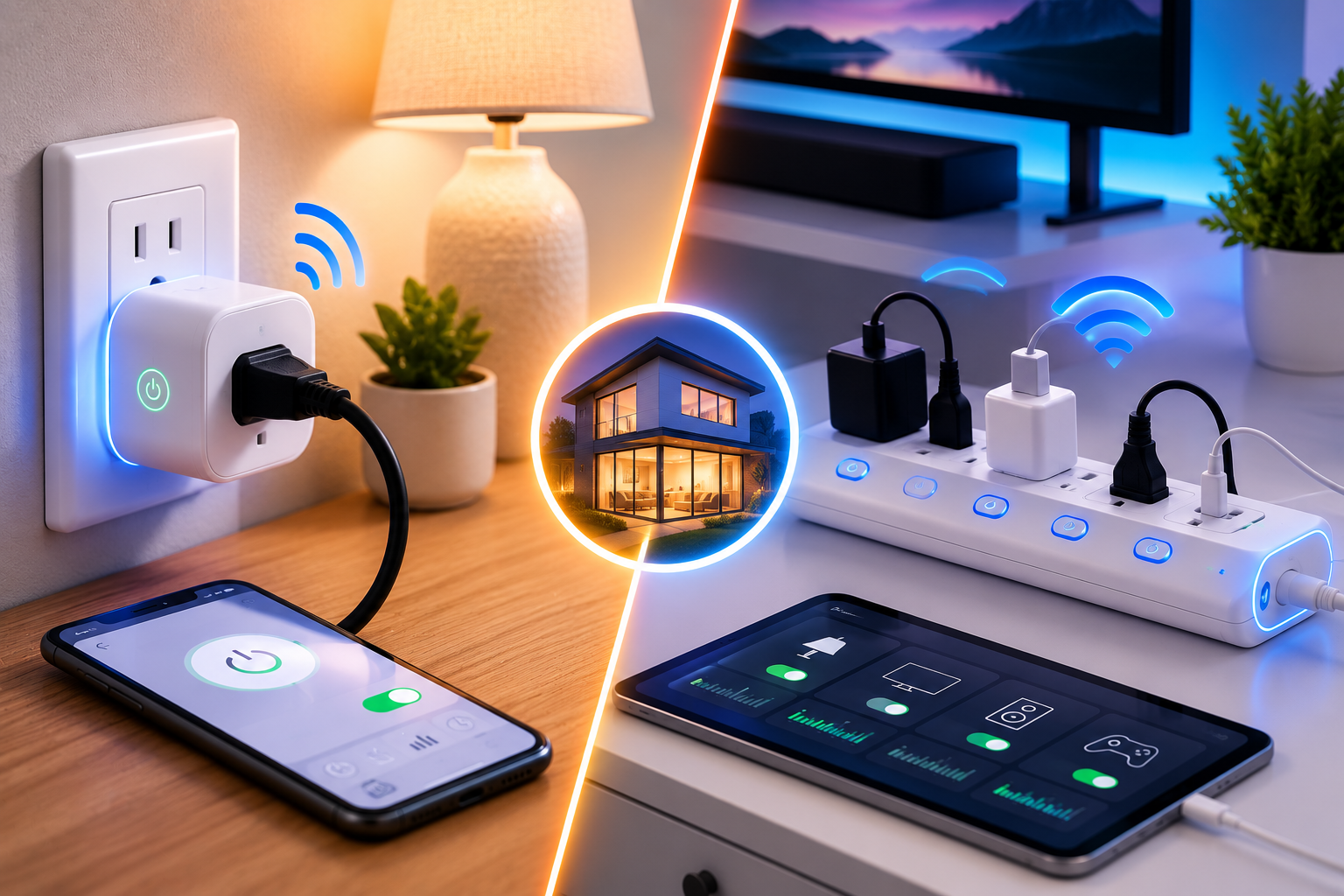
A smart plug controls exactly one outlet, while a smart power strip manages several individually controllable outlets from a single unit, and that basic distinction determines which one actually fits your specific situation. Both devices exist to solve the same underlying problem: eliminating the “vampire power” that everyday electronics quietly draw even when they appear to be off, a phantom drain the Department of Energy estimates accounts for 5 to 10 percent of a typical home’s total electricity use.
This is a separate issue from appliance efficiency itself see our guide to energy-efficient appliances for how ENERGY STAR ratings affect your bigger energy costs like refrigerators and washers
This guide compares smart plugs and smart power strips across cost, capacity, safety, and real-world energy savings, helping you decide which fits your specific setup. We’ll also cover vampire power, per-outlet monitoring, and practical buying advice for American homeowners looking to cut wasted electricity.
By the end, you’ll know exactly when a single smart plug is sufficient and when you genuinely need the added capacity of a smart power strip.
Which Should You Choose?
A single smart plug is the better fit when you want to control just one device, like a lamp, coffee maker, or single decorative item, with minimal extra hardware and the simplest possible setup. A smart power strip makes more sense when several lower-draw devices live in the same location and benefit from shared cable management, such as an entertainment center or a home office setup with multiple accessories.
Vampire power itself accounts for roughly $100 to $200 in wasted annual electricity for the average household, and both smart plugs and smart power strips address this same core problem, just at different scales depending on how many devices you’re trying to manage.
Understanding the Real Problem: Vampire Power
Before comparing the two devices, it helps to understand exactly what problem they’re both solving, since this context shapes which option actually makes sense for you.
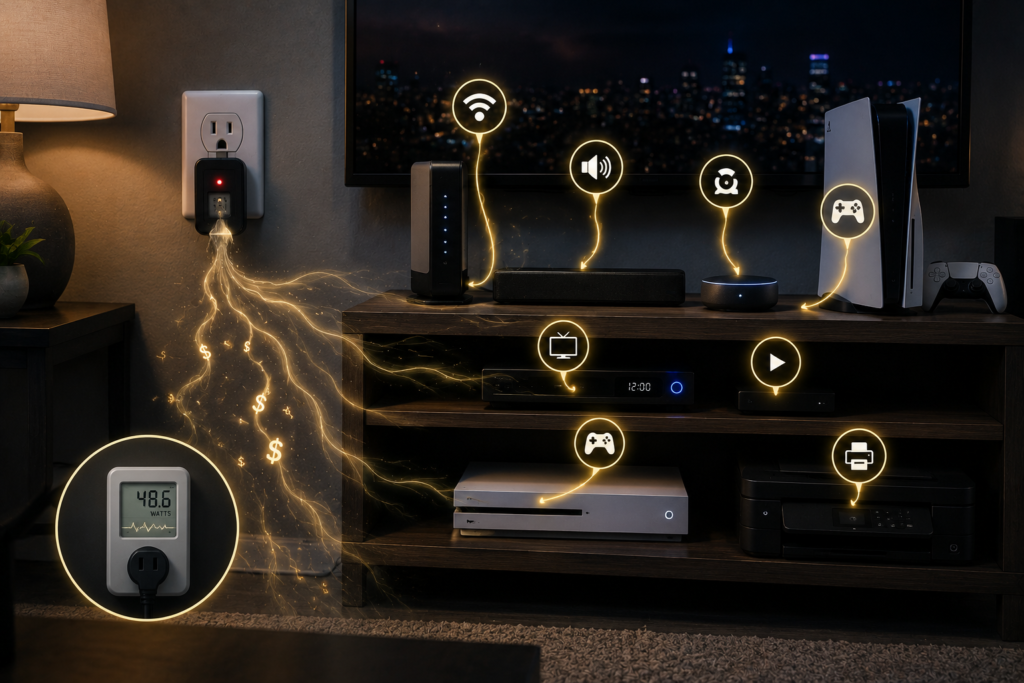
Phantom power, also called vampire power or standby power, is the electricity devices continue drawing even when they appear to be switched off. Your cable box, computer monitors, printers, coffee makers, and dozens of other everyday devices continue drawing power to maintain internal clocks, stay ready for remote signals, or keep memory active, even while sitting seemingly idle.
A typical entertainment center, combining a TV, cable box, soundbar, game console, and streaming device, can draw 30 to 50 watts continuously in standby mode alone, translating to roughly $35 to $55 annually in wasted electricity for that single cluster of devices at average electricity rates. This is exactly the kind of scenario where a smart power strip’s ability to manage multiple outlets simultaneously delivers meaningfully more value than a single smart plug ever could.
What a Smart Plug Actually Does
A smart plug is a compact device that fits into a single wall outlet, letting you remotely control, schedule, or automate power to whatever’s plugged into it, typically through a smartphone app or voice assistant.
Smart Plug Strengths
- Simplest possible setup, plugging directly into an existing outlet with no additional wiring
- Lower upfront cost than most smart power strips
- Compact footprint, useful in tight spaces like a crowded kitchen backsplash
- Straightforward, single-device control without needing to think about outlet grouping
Smart Plug Limitations
- Controls only one outlet, meaning multiple devices require multiple individual plugs
- No built-in cable management for setups with several nearby devices
- Can create visual clutter if you need several plugs clustered in one area
What a Smart Power Strip Actually Does
A smart power strip functions like a traditional power strip but with multiple smart-enabled outlets built in, letting you control several devices individually or as coordinated groups from one unit.
Smart Power Strip Strengths
- Manages multiple devices from a single unit, ideal for entertainment centers or office setups
- Many models offer independent per-outlet control, letting you automate specific outlets separately rather than the whole strip at once
- Some models include per-outlet energy monitoring, showing real-time wattage and cost estimates for each connected device
- Better cable management for clusters of nearby low-draw devices
Smart Power Strip Limitations
- Higher upfront cost than a single smart plug
- Larger physical footprint, requiring more available space
- Not suitable for high-wattage appliances, a safety limitation worth taking seriously
Comparing Smart Plugs and Smart Power Strips at a Glance
| Factor | Smart Plug | Smart Power Strip |
| Outlets controlled | One | Multiple (often 3–12) |
| Best for | Single device (lamp, coffee maker) | Device clusters (entertainment center, office) |
| Upfront cost | Lower | Higher |
| Cable management | None | Built-in |
| Per-outlet monitoring | N/A, single outlet only | Available on many models |
| Own standby draw | Minimal | Typically 1–2 watts continuously |
| Physical footprint | Compact | Larger |
The Critical Safety Rule Both Devices Share
Regardless of which type you choose, one safety limitation applies equally to both: neither smart plugs nor smart power strips should be used with high-wattage appliances.
Devices that draw large amounts of electricity, air conditioners, microwaves, hair dryers, coffee makers, toasters, and curling irons among them, generate significant heat and current draw that can overload a plug or strip, creating a genuine fire and shock hazard. Large appliances like refrigerators and washing machines should always be plugged directly into a wall outlet rather than through either device, and this rule applies consistently across both categories regardless of brand or price point.
The best candidates for smart plugs or power strips are genuine “vampire” devices: things like TVs, cable boxes, game consoles, computer monitors, printers, and phone chargers, all of which draw modest but continuous standby power rather than the high, heat-generating loads that make an appliance genuinely unsafe for this kind of device.
Real-World Savings: What Actually Happens When You Switch
Independent testing and household case studies help illustrate what genuine savings look like in practice, beyond the general percentage estimates.
One documented home energy monitoring case found an entertainment center alone consuming 47 watts continuously even when everything appeared off, split across a cable box drawing 18 watts, a soundbar pulling 12 watts in standby, and a gaming console consuming 15 watts while supposedly asleep. In a separate office setup within the same household, switching from a regular power strip to a smart strip configured for master-slave operation, where a computer serves as the master device that triggers connected accessories to power down together, dropped continuous consumption from 89 watts down to just 12 watts, eliminating 77 watts of phantom load for roughly 16 hours daily.
These real-world examples reinforce a genuinely important point: smart strips and plugs deliver the most value specifically with electronics that carry significant standby consumption, not simple appliances that already draw minimal power when idle. Testing suspected energy vampires individually with a monitored outlet, one device at a time, is a practical way to identify which of your own household’s devices are worth prioritizing for smart control.
Choosing Based on Automation Features You’ll Actually Use
Beyond basic on/off control, both device types offer automation features worth understanding before you decide which fits your household.
- Scheduling: Both smart plugs and power strips can be set to automatically power devices on or off at specific times, useful for lamps on a timer or an entertainment center that powers down every night at a consistent hour.
- Voice assistant integration: A single voice command, something like telling your assistant “goodnight,” can simultaneously cut power to an entertainment center, office equipment, and non-essential bedroom devices at once, instantly eliminating a meaningful chunk of standby power.
- Geofencing: Some setups can automatically cut non-essential outlets when the last person leaves home, though this typically requires a smart home hub for reliable operation rather than working through the plug or strip alone.
- Per-outlet monitoring: Available on many smart power strips specifically, this feature shows real-time wattage and cost estimates for each connected device individually, helping you pinpoint exactly which devices are worth prioritizing for automation.
Which Rooms Benefit Most From Each Device Type
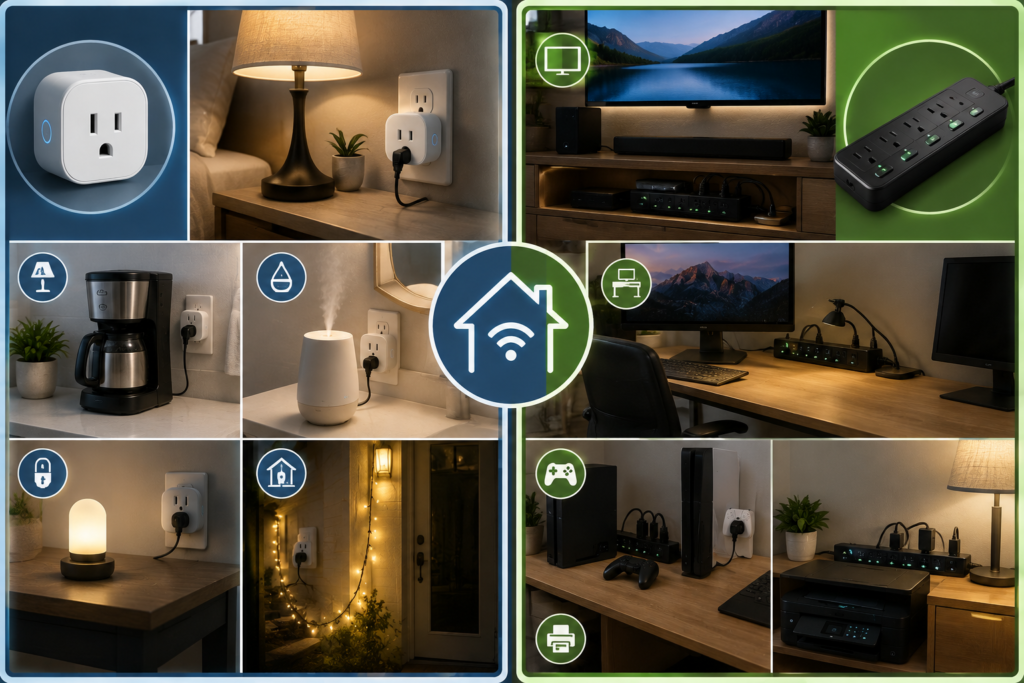
Matching device type to specific rooms and use cases produces better results than choosing one category for your entire home.
- Living room or entertainment center: A smart power strip is the clear choice here, since TVs, cable boxes, soundbars, and game consoles cluster together and collectively represent significant standby power worth eliminating as a group.
- Home office: A smart power strip with master-slave functionality works particularly well, automatically powering down monitors, speakers, and accessories whenever the main computer shuts down.
- Kitchen: A single smart plug for one compatible lamp or simple appliance makes more sense here than a power strip, given how many kitchen appliances involve heating elements that shouldn’t be automated through either device for safety reasons.
- Bedroom: A smart plug for a single lamp or charging station is usually sufficient, unless you’re managing several low-draw accessories in one area, in which case a compact smart power strip may be worth considering.
Practical Buying Advice
A few specific considerations help you choose confidently and avoid common mistakes with either device type.
- Match device count to your actual need: If you’re only automating one item, a single smart plug is more cost-effective than a power strip you’d only partially use.
- Verify independent outlet control on power strips: Some strips only control the entire unit as one group, while others let you name and automate each outlet separately, a meaningfully different feature worth confirming before purchase.
- Check ecosystem compatibility first: If you already use a specific voice assistant platform, confirming compatibility with that ecosystem matters more than choosing based on outlet style alone.
- Never treat either device as a workaround for high-wattage appliances: This safety rule applies universally regardless of price point or brand reputation.
- Consider Matter compatibility for future flexibility: This increasingly common smart home standard helps ensure your device works seamlessly across different platforms like Alexa, Google Home, and Apple Home.
Match the Device to Your Actual Cluster Size
Choosing between a smart plug and a smart power strip ultimately comes down to how many devices you’re actually trying to manage in one location. A single smart plug offers the simplest, most cost-effective solution for one device, like a lamp or coffee maker, while a smart power strip delivers meaningfully more value for genuine device clusters like an entertainment center or home office setup, where standby power adds up significantly across several nearby electronics. Whichever you choose, remember the one safety rule that applies to both: keep high-wattage, heat-generating appliances plugged directly into the wall, and reserve your smart devices for the everyday electronics quietly drawing vampire power in the background.
Frequently Asked Questions
10 What’s the main difference between a smart plug and a smart power strip?
A smart plug controls a single outlet, while a smart power strip manages multiple individually controllable outlets from one unit, making it better suited to device clusters.
2- How much money can I actually save with a smart power strip?
Vampire power typically accounts for $100 to $200 in wasted annual electricity for the average household, though actual savings depend heavily on which specific devices you connect and how consistently you use the automation features.
3- Can I plug my microwave or coffee maker into a smart plug?
No, high-wattage, heat-generating appliances like microwaves, coffee makers, and hair dryers should always be plugged directly into a wall outlet rather than through a smart plug or power strip.
4- Do smart power strips use electricity themselves?
Yes, typically a small amount, around 1 to 2 watts continuously, to maintain their Wi-Fi connection and internal processing, though this is far outweighed by the phantom load they eliminate from connected devices.
5- Is a smart power strip worth it if I only have one or two devices to automate?
Probably not; a single smart plug is more cost-effective and appropriately sized if you’re only managing one or two devices rather than a genuine cluster.
6- Which devices benefit most from being connected to a smart plug or power strip?
Devices with significant standby consumption, like TVs, cable boxes, game consoles, computer monitors, and printers, benefit the most, while simple, low-draw appliances see comparatively little advantage.