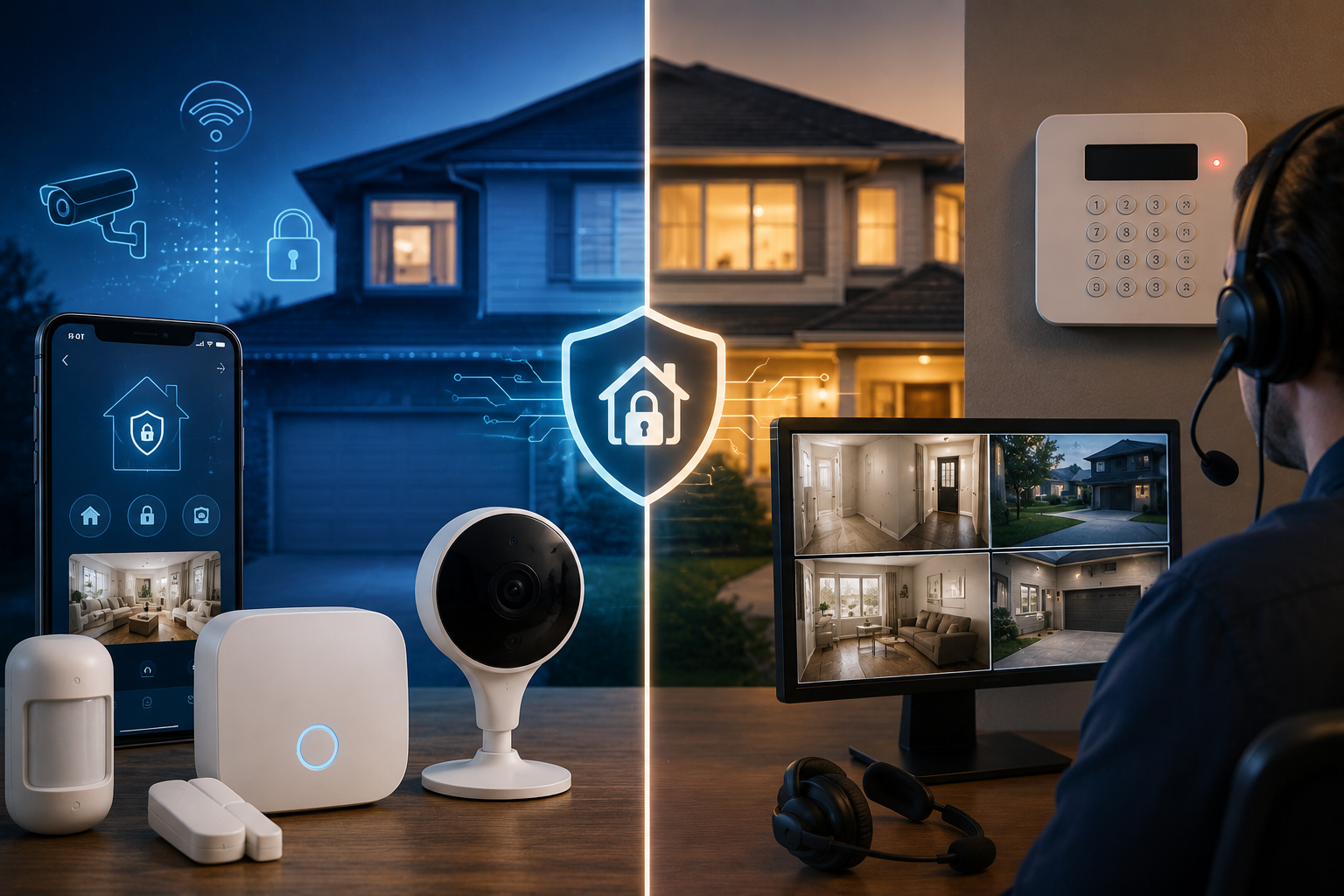
Choosing home security used to mean one thing: calling a company, scheduling an installer, and signing a multi-year contract. Today, smart security systems vs traditional alarm systems represents a genuinely different decision, DIY versus professional installation, self-monitoring versus a 24/7 monitoring center, and app-based control versus a hardwired panel on the wall. Neither approach is universally better, they solve for different priorities, and the right choice depends heavily on your budget, how hands-on you want to be, and how much you’re willing to trust yourself to actually respond to an alert at 2 a.m.
This guide breaks down exactly how these two approaches differ in cost, reliability, monitoring, and real-world protection, so you can choose based on what actually matters for your household rather than marketing claims from either side.
Smart Security vs Traditional Alarms
Traditional professionally installed and monitored systems remain the stronger choice if you want reliable, hands-off protection, expert installation, cellular or landline backup that keeps working during an internet outage, and a trained monitoring center that dispatches police or fire even when you can’t respond yourself. Smart, DIY-first systems win on affordability, flexibility, and control, no long-term contracts, quick self-installation, and the ability to expand or reconfigure your setup as your needs change. Many homeowners end up landing on a genuine hybrid: professionally monitored service paired with smart, app-connected equipment, getting the reliability of professional monitoring without sacrificing modern smart home integration.
What Actually Separates These Two Approaches
Traditional Systems: Professional Installation, Professional Monitoring
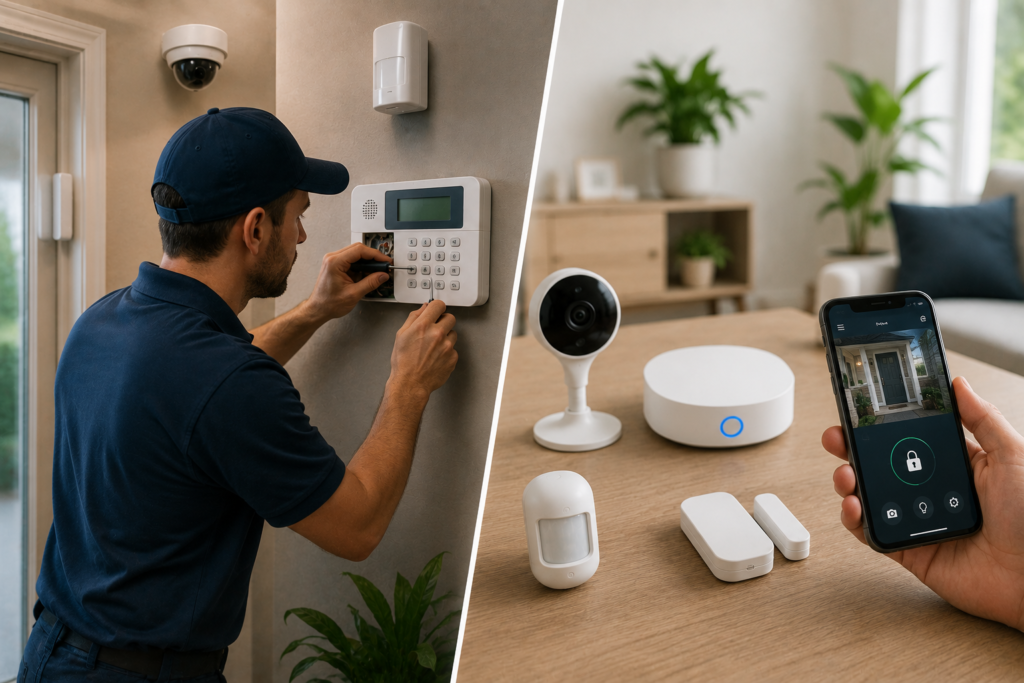
A traditional security system typically involves a licensed technician installing wired or hardwired sensors, a control panel, motion detectors, and cameras directly in your home. These systems often connect via both cellular and landline backup for added reliability, and monitoring is handled by trained agents at a central station who verify alarms and dispatch emergency responders when needed.
Smart Systems: DIY-First, App-Driven, and Flexible
Smart security systems are generally designed for self-installation, adhesive sensors, plug-and-play hubs, and setup guided entirely through a smartphone app, often completed in under an hour without any technician visit. These systems commonly use artificial intelligence and machine learning for improved threat detection and integrate directly with voice assistants like Alexa, Google Assistant, and Siri, plus smart locks, thermostats, and lighting for unified control from a single app.
Smart vs Traditional: Side-by-Side Comparison
| Factor | Traditional Alarm System | Smart Security System |
| Installation | Professional (technician visit) | DIY, typically under an hour |
| Monitoring options | Almost always professional | Both professional and self-monitoring |
| Contract requirement | Often multi-year contract | Usually no contract, cancel anytime |
| Upfront equipment cost | Varies, often bundled with install fee | $150–$600 for starter kits |
| Monthly monitoring cost | $30–$60/month | $0 (alerts only) to $30/month |
| Backup power/connectivity | Cellular and landline backup common | Dependent on home internet/cellular backup |
| Smart home integration | Limited on older systems | Extensive (voice assistants, locks, lighting) |
| Response reliability | Trained agents dispatch help directly | Self-monitoring relies on you responding |
Breaking Down the Real Cost Difference
Upfront Equipment Costs
DIY smart security starter kits generally range from about $150 to $600 depending on how many sensors, cameras, and accessories are included, with some budget-friendly starter kits priced closer to $120. Traditional professional installation adds a separate setup fee on top of equipment costs, often ranging from roughly $50 up to a few hundred dollars, depending on the provider and system complexity.
Monthly Monitoring Costs
This is where the pricing structures diverge most. DIY monitoring plans range from completely free (alerts sent directly to your phone, no professional response included) up to roughly $10 to $30 per month for full professional monitoring layered on top of self-installed equipment. Traditional professionally installed and monitored systems typically run $30 to $60 per month, though some providers offering pro installation alongside flexible, no-contract monitoring have introduced flat rates closer to $20 per month, blurring the old cost gap between these two categories.
The Surprising Truth About Total Cost
It’s a common assumption that DIY is automatically cheaper, but once you add up quality equipment plus full professional monitoring, a DIY kit and a professionally installed system can land at genuinely similar total prices. The real cost difference often comes down less to “DIY vs professional” and more to whether you choose professional monitoring at all, since that’s the single biggest recurring expense in either category.
Monitoring: The Feature That Matters Most in an Actual Emergency
Professional Monitoring: Someone Is Always Watching
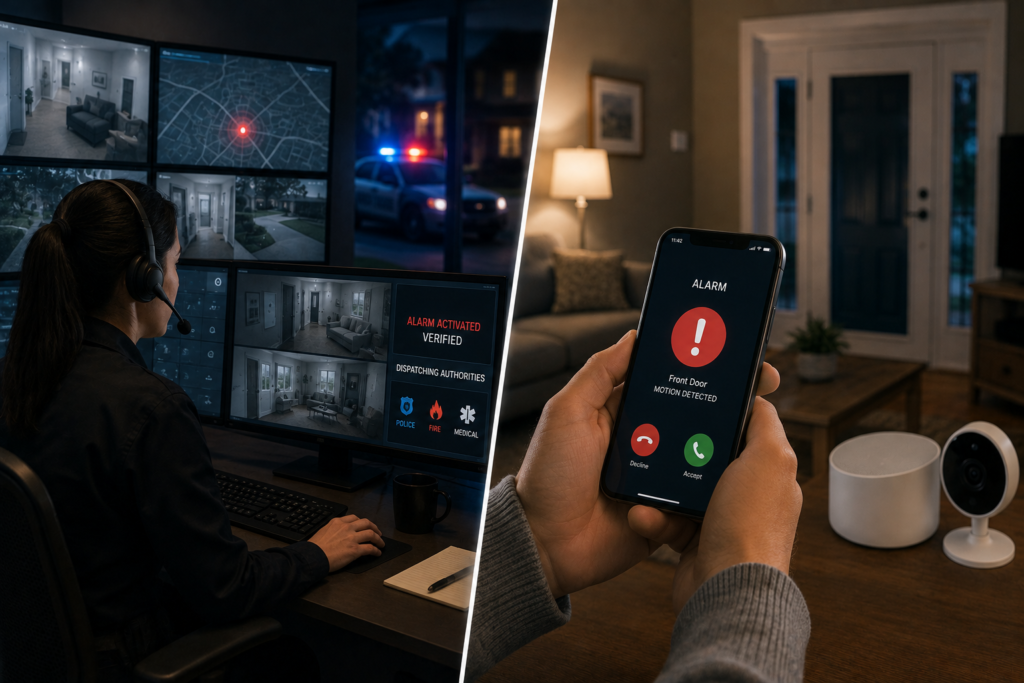
With professional monitoring, trained agents at a central station verify alarms, filter out false triggers, and dispatch police, fire, or EMS on your behalf, even if you’re asleep, traveling, or simply don’t see the notification in time. This is the core value proposition of traditional systems, and it’s increasingly available as an add-on for DIY smart systems too.
Self-Monitoring: More Control, More Responsibility
Self-monitoring means alerts go straight to your phone, and you’re the one deciding whether to call emergency services yourself. This option is generally more affordable, sometimes entirely free, but it places full responsibility on you to actually see and respond to every alert promptly, a genuine gap if you’re asleep, in an area with poor cell signal, or simply miss a notification during a busy day.
Why This Distinction Matters More Than “Smart vs Traditional”
The truth is, monitoring type matters more for real-world protection than whether your system is labeled “smart” or “traditional.” A DIY smart system with professional monitoring added on can offer comparable emergency response to a traditional system, while a professionally installed system running on self-monitoring only offers no more built-in response guarantee than a basic DIY setup.
Installation and Setup: Convenience vs Expert Placement
The DIY Advantage: Fast and Flexible
DIY smart systems appeal specifically because of their speed and simplicity, sensors typically go up with adhesive strips, the hub plugs in, and app prompts walk you through pairing everything, often in under an hour with zero technician visit required.
The Professional Advantage: Getting It Right the First Time
Professional installation means a trained technician designs the system specifically for your home’s layout, ensuring proper sensor placement, coverage of vulnerable entry points, and integrated wiring for cameras or additional automation. DIY users, by contrast, risk placement errors, a motion sensor angled wrong or a door sensor mounted imperfectly can create real gaps in coverage without you ever realizing it until it’s too late.
A Middle Ground Worth Knowing About
Some components, particularly wired video doorbells or hardwired cameras, may require professional installation even within an otherwise DIY-branded system, and many DIY providers now offer optional professional installation for exactly this reason, letting you mix self-installed sensors with professionally placed higher-stakes equipment.
Reliability: What Happens When the Power or Internet Goes Out
Traditional Systems’ Backup Advantage
Professionally installed traditional systems commonly include cellular and landline backup, meaning the system keeps functioning and communicating with the monitoring center even during a power outage or internet disruption, a genuine reliability advantage during exactly the kind of chaotic situation, a storm, a break-in during an outage, where security matters most.
Smart Systems’ Connectivity Dependence
Smart, app-based systems generally depend more heavily on your home’s internet or cellular connection to function and send alerts. If your Wi-Fi goes down and the system lacks its own cellular backup, you could lose monitoring and notification capability at precisely the wrong moment.
Check for Backup Options Before Buying
Many DIY smart systems now offer optional cellular backup as an add-on specifically to close this reliability gap, worth prioritizing if backup power and connectivity redundancy matter to your household, rather than assuming all “smart” systems are equally vulnerable to outages.
Smart Home Integration: Where Modern Systems Pull Ahead
Smart security systems generally offer far more extensive integration with the rest of your connected home, voice assistant control, smart locks, automated lighting scenes, and thermostat coordination, all managed from a single app. Older traditional systems, particularly those installed years ago without smart upgrades, often lack this flexibility, though many established security providers have modernized their offerings considerably to compete directly on this front.
Contracts: A Genuine Point of Friction Worth Understanding
Traditional professionally monitored systems have historically required multi-year contracts, which can feel restrictive if your circumstances change, moving, switching providers, or simply wanting to cancel. DIY smart systems typically offer month-to-month monitoring with no long-term commitment, letting you cancel or pause service freely. This flexibility gap has narrowed somewhat as more traditional providers introduce no-contract professional monitoring options, so it’s worth asking directly rather than assuming every traditional provider still locks you in.
Who Should Choose DIY Smart Security?
- Renters who can’t or don’t want to commit to permanent wired installation
- Budget-conscious homeowners wanting flexibility and no long-term contract
- Tech-comfortable households who enjoy managing smart home integration themselves
- Smaller homes or apartments where a handful of sensors provides adequate coverage
- Anyone wanting a temporary or easily reconfigurable security solution
Who Should Choose Traditional Professional Security?
- Homeowners who want expert installation and don’t want to troubleshoot their own equipment
- Households prioritizing guaranteed, reliable emergency dispatch over self-monitoring
- Larger homes with more entry points genuinely needing professional layout planning
- Anyone specifically wanting cellular and landline backup for power or internet outages
- Families who travel often and want confidence that alerts will always be professionally handled
Practical Buying Tips
- Don’t assume DIY is automatically cheaper, compare total cost including professional monitoring add-ons before deciding
- Prioritize professional monitoring, regardless of DIY or traditional installation, if reliable emergency response matters more to you than upfront savings
- Check specifically for cellular backup if power or internet outages are a real concern in your area
- Consider a hybrid approach, DIY smart equipment paired with professional monitoring, for a genuine middle ground
- Confirm contract terms directly, since both categories now offer no-contract options depending on the specific provider
Common Mistakes to Avoid
- Assuming “smart” automatically means “cheaper,” when full-featured DIY monitoring plans can cost nearly as much as traditional professional service
- Skipping professional monitoring entirely to save money, then relying solely on self-response for a genuine home invasion or fire emergency
- Overlooking backup power and connectivity, leaving a system vulnerable during exactly the situations, storms and outages, where security matters most
- Placing DIY sensors without researching proper coverage, creating gaps a professional installer would have caught
- Signing a long-term contract without confirming no-contract alternatives exist, when many providers now offer flexible month-to-month options
Conslusion
There’s no single winner in the smart security systems vs traditional alarm systems debate, each approach genuinely suits different priorities, DIY flexibility and lower upfront commitment versus professional reliability and hands-off peace of mind. The factor that matters most for actual protection isn’t the “smart” or “traditional” label at all, it’s whether you have genuine professional monitoring backing up your system when an emergency actually happens. Whether you land on DIY, traditional, or a hybrid of both, prioritize reliable monitoring and backup connectivity over marketing buzzwords, and you’ll end up with security that actually protects your home rather than just looking impressive in the app.
Frequently Asked Questions
1- Is DIY home security actually worth it?
For renters, budget-conscious homeowners, or anyone wanting flexibility without a long-term contract, yes. DIY systems offer genuine affordability and control, though quality equipment with full professional monitoring can end up costing close to what a traditional system costs overall.
2- Which is more reliable, smart or traditional security systems?
Traditional professionally installed systems generally offer stronger built-in reliability through cellular and landline backup, though many DIY smart systems now offer similar backup as an optional add-on, worth checking before assuming either category is automatically more dependable.
3- Do smart security systems require professional monitoring?
No, most offer both self-monitoring (often free or low-cost) and professional monitoring as an add-on, giving you flexibility that traditional systems, which almost always default to professional monitoring, typically don’t offer.
4- How much does home security monitoring cost per month?
DIY self-monitoring can be free, with full professional monitoring on DIY equipment running roughly $10 to $30 per month, while traditional professionally installed and monitored systems typically cost $30 to $60 per month, though some flat-rate no-contract options now start closer to $20.
5- Can I combine DIY equipment with professional monitoring?
Yes, this hybrid approach has become increasingly common, giving you the flexibility and lower upfront cost of DIY equipment alongside the reliability of trained agents monitoring and dispatching help on your behalf.
6- Do traditional alarm systems still require long-term contracts?
Not always anymore. While multi-year contracts remain common with some providers, an increasing number now offer no-contract, month-to-month professional monitoring, worth confirming directly before signing.
7- What happens if my internet goes down with a smart security system?
This depends on whether your specific system includes cellular backup. Without it, a Wi-Fi outage can interrupt alerts and monitoring, which is why checking for backup connectivity options matters if power or internet reliability is a concern in your area.